
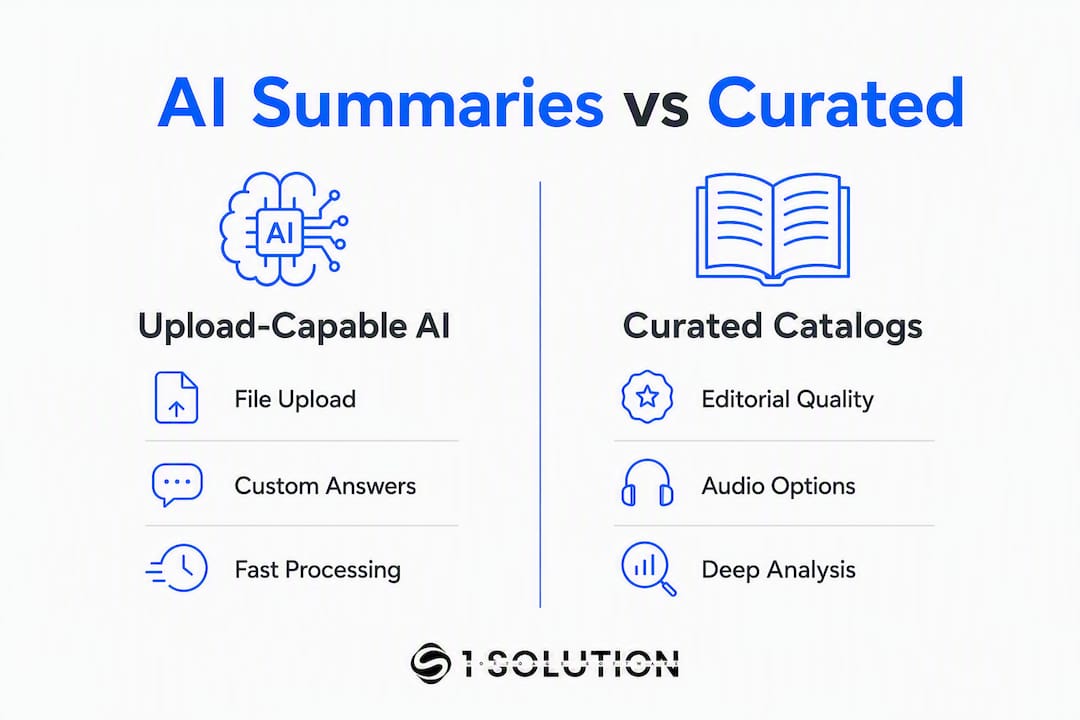
Users replacing aibooksummary.com typically land on one of two paths: upload-capable AI tools that process your own files and answer follow-up questions, or editorially curated catalog services that deliver polished, ready-made reads. The strongest picks right now are:
- Musely Book Summarizer AI — upload any PDF, EPUB, or DOCX and get chapter-aware summaries with inline Q&A in 50+ languages
- Blinkist — 9,000+ curated 15-minute reads with high-quality audio narration and offline access
- Shortform — expert-written deep guides with chapter notes, downloads, and interactive study tools
- BooksAI — AI-native chat interface lets you interrogate any title with follow-up questions
- SoBrief — 26,000+ free summaries with audio and downloadable PDFs and EPUBs
- ChatGPT — flexible, general-purpose AI that handles custom summarization prompts for any text you paste or describe
Your choice comes down to one question: do you need to upload your own file, or are you happy pulling from a pre-built catalog?
Table of Contents
- What are the best aibooksummary.com alternatives at a glance?
- Which tool actually fits your workflow?
- What formats and features should you check before committing?
- How do you choose the right replacement?
- What does research say about AI summaries vs. editorial ones?
- Key Takeaways
- What we learned from testing these alternatives
- Useful sources for deeper evaluation
- A different kind of platform for mortgage professionals
- An honest perspective on what these tools actually deliver
What are the best aibooksummary.com alternatives at a glance?
| Tool | Best For | Pricing / Free Tier | Input Formats | Summary Depth | Mobile / Offline | Export & Integrations | Processing Limits | Language Support | Privacy / Upload Handling |
|---|---|---|---|---|---|---|---|---|---|
| Musely Book Summarizer AI | Researchers uploading full books or proprietary PDFs | Free tier; paid plans available | PDF, EPUB, MOBI, DOCX, TXT | Chapter, executive digest, study guide | Web; mobile via browser | Export options available | ~300,000 words | 50+ languages | Vendor policy applies; review before uploading copyrighted material |
| Blinkist | Casual learners wanting curated audio reads | Free trial; $10–$30/mo | Catalog only (no upload) | 15-min curated read + audio | iOS, Android; offline | Limited export | Catalog titles only | Multiple languages | No uploads; catalog content only |
| Shortform | Deep analytical reading and study | Free trial; $8–$20/mo annual | Catalog only | Chapter-by-chapter + analysis | iOS, Android; offline | PDF download | Catalog titles only | English primary | No uploads; catalog content only |
| BooksAI | Interactive Q&A on any title | Free tier; paid plans | Title search + upload | Chat-style + digest | iOS, Android | Limited | Varies | English primary | Review vendor policy |
| SoBrief | Free bulk downloads and offline listening | Free | Catalog only | Standard summary | Web; audio + PDF/EPUB download | PDF, EPUB download | Catalog titles | Multiple | No uploads |
| Scholarcy | Academic papers and literature reviews | Free tier; paid plans | PDF, DOCX, URL | Highlights, references, digest | Web | CSV, Word export | Varies | English primary | Review vendor policy |
| SciSpace | Research literature and citations | Free tier; paid plans | PDF, URL | Deep extraction + citations | Web | Export available | Varies | English primary | Review vendor policy |
| Humata AI / AskYourPDF / Elicit | Q&A on uploaded research documents | Free tier; paid plans | PDF, URL | Q&A + citation-aware | Web | Export available | Varies | English primary | Review vendor policy |
| QuillBot / Wordtune Summarizer | Quick article or note summarization | Free tier; paid plans | Pasted text, URL | Short to medium | Web, mobile | Integrated writing tools | Short documents | Multiple | Standard data policy |
| Summarizer.org / Summarizingtool.io / SummarizeBot | No-friction URL or pasted-text summaries | Free | URL, pasted text | Short digest | Web | None | Short text | Varies | Minimal data collection |
| Eightify / YTSummary | YouTube video and podcast summaries | Free tier; paid plans | YouTube URL, audio | Timestamped digest | Web, browser extension | Limited | Video length limits | Multiple | Review vendor policy |
| SparkNotes / SuperSummary | Student chapter guides and theme analysis | Free / paid tiers | Catalog only | Chapter + theme analysis | Web, mobile | Limited | Catalog titles | English primary | No uploads |
| ChatGPT | Custom summarization of pasted text | Free tier; Plus ~$20/mo | Pasted text, file upload (Plus) | Fully custom | iOS, Android | None native | Token window limits | 50+ languages | OpenAI data policy |
| Jasper AI / TLDR This | Summarization inside a writing workflow | Paid plans; free trial | URL, pasted text | Short to medium | Web | Integrated | Short to medium | Multiple | Review vendor policy |
| Otter / Notta | Meeting transcripts with summary highlights | Free tier; paid plans | Audio, video | Transcript + highlights | iOS, Android | Notion, CSV, PDF | Meeting length | English primary | Review vendor policy |
| genei | Research document summarization and notes | Free trial; paid plans | PDF, URL | Highlights + notes | Web | Notion, export | Varies | English primary | Review vendor policy |
| getAbstract | Business book and report summaries | Subscription | Catalog only | 10-min executive summary | iOS, Android; offline | Limited | Catalog titles | Multiple | No uploads |
| Instaread | Business book key takeaways | Free trial; subscription | Catalog only | Key insights + audio | iOS, Android | Limited | Catalog titles | English primary | No uploads |
| Headway | Micro-learning book summaries | Free tier; subscription | Catalog only | Bite-sized lessons | iOS, Android; offline | Limited | Catalog titles | Multiple | No uploads |
| Bookey | Book summaries with audio and visuals | Free tier; subscription | Catalog only | Summary + audio + visuals | iOS, Android | Limited | Catalog titles | Multiple | No uploads |
Pricing snapshot: Upload-capable AI tools typically offer free tiers with token or page limits, then charge $10–$30/month for expanded access. Curated catalog services run $8–$20/month on annual plans, with Blinkist near the top of that range and Shortform near the bottom on annual billing. Pay-as-you-go is rare; subscriptions dominate both categories.
Privacy note: Any tool that accepts file uploads retains your document for at least the duration of processing. Policies on deletion timelines and whether uploads influence model training vary widely. Read the vendor's privacy policy before uploading copyrighted books or proprietary internal documents.
Which tool actually fits your workflow?
Upload-capable AI tools
Musely Book Summarizer AI accepts PDF, EPUB, MOBI, DOCX, and TXT files and processes up to roughly 300,000 words with chapter-aware outputs. You choose the depth: executive digest, chapter-by-chapter breakdown, or study guide. The inline Q&A feature lets you ask follow-up questions about specific passages without re-uploading. Output in 50+ languages makes it one of the few upload-first tools that genuinely serves multilingual workflows.

Pro Tip: Before uploading a scanned PDF to any AI summarizer, run it through OCR software like Adobe Acrobat or a free tool like Smallpdf. Scanned image-based pages frequently cause extraction failures, and the tool will either return garbled text or skip pages silently.
BooksAI takes a chat-first approach. Search by title or upload your own file, then ask the book questions directly. That interaction model works particularly well for non-fiction where you want specific answers rather than a linear summary. It suits readers who already know what they are looking for inside a text.
Humata AI, AskYourPDF, and Elicit all center on document Q&A with citation-aware answers. Elicit leans academic, surfacing related papers and structured data extraction. AskYourPDF handles general PDFs with a clean interface. Humata AI targets professional document review. All three are stronger for interrogating a document than for producing polished narrative summaries.
Scholarcy and SciSpace are built for research workflows. Scholarcy extracts references, highlights key claims, and exports to CSV or Word. SciSpace goes deeper on literature review, surfacing citations and structured data from scientific papers. Neither is designed for casual reading; both are purpose-built for students and researchers who need structured extraction from dense academic text.
genei, Skimming AI, NoteAI, and Gist AI occupy a similar research-assistant niche. genei integrates with Notion and supports PDF and URL inputs with highlights and notes. Skimming AI, NoteAI, and Gist AI each offer lightweight summarization aimed at reducing reading time for professionals who process high volumes of articles and reports.
Summarizer.org, Summarizingtool.io, SummarizeBot, and PlainScribe are the zero-friction options. Paste text or drop in a URL and get a summary in seconds with no account required. They handle short documents well. Long books are outside their practical range.
ChatGPT deserves a direct mention here. Paste any text, describe a book, or upload a file with a Plus subscription, and you get a fully custom summary at whatever depth you specify. No catalog constraints, no format restrictions on pasted content. The limitation is the token window and the fact that you are doing the prompting work yourself.
Numerous AI focuses on AI-powered content processing, including book and document summaries, with a workflow-integration angle. It suits users who want summarization embedded in a broader content pipeline rather than as a standalone tool.
Jasper AI and TLDR This include summarization as one capability inside larger writing platforms. If you already use Jasper for content creation, its summarizer is a convenient addition. TLDR This handles URLs and pasted articles quickly. Neither is optimized for full-length book uploads.
Wordtune Summarizer and QuillBot are fast, clean, and free at the basic tier. Both handle articles, notes, and short documents well. For full-length books, they hit length limits quickly.
Elicit stands apart from the others by functioning more as a research assistant than a summarizer. It surfaces academic papers, extracts structured data, and helps you build literature reviews. For pure book summarization, it is overkill; for academic research, it is one of the most capable free tools available.
Curated catalog services
Blinkist has built its reputation on editorial quality. With 9,000+ titles and 15-minute reads produced by professional editors, it delivers a consistently polished experience. Audio narration and offline access make it the strongest option for commuters and audio learners. The Pro plan adds AI features for summarizing content outside the catalog.
Shortform goes further than any other catalog service on depth. Its guides include chapter-by-chapter analysis, critical commentary, and downloadable PDFs. If you want to understand a book's argument rather than just its key points, Shortform is the right call. It is also the most honest about what a summary cannot replace.

getAbstract targets business professionals with 10-minute executive summaries of business books and reports. The catalog skews toward management, strategy, and leadership titles. It is a subscription service with no free permanent tier, but it is widely used in corporate learning programs.
Instaread covers business and self-help titles with key takeaways and audio. The catalog is smaller than Blinkist's, but the mobile experience is clean and the audio quality is solid.
Headway, Bookey, StoryShots, BookStash, Sumizeit, 12Min, Four Minute Books, Readitfor.me, and Mentorist all operate in the bite-sized summary space. Headway uses micro-lessons and daily reading habits. Bookey adds visual summaries and audio. StoryShots and BookStash focus on quick key-idea formats. Sumizeit and 12Min offer audio and text summaries with mobile apps. Four Minute Books delivers free written summaries on a blog-style platform. Readitfor.me targets business readers with video and audio formats. Mentorist adds action-item coaching to its summaries, which suits readers who want to apply what they read rather than just absorb it.
5 Minute Book Summary App and ReadinGraphics take visual approaches. ReadinGraphics is notable for its infographic-style summaries, which work well for visual learners processing complex non-fiction frameworks.
SparkNotes and SuperSummary serve students. SparkNotes covers classic literature and assigned reading with chapter guides, character analysis, and theme breakdowns. SuperSummary extends that model to more contemporary titles and adds study guides. Neither is designed for professional or research use.
SoBrief stands out in the free catalog category. Its 26,000+ summaries include audio and downloadable PDFs and EPUBs, making it the largest free catalog available. The trade-off is editorial depth: summaries are shorter and less analytical than Shortform or getAbstract.
Eightify, YTSummary, and similar browser extensions shift the format entirely. These tools summarize YouTube videos and podcast episodes rather than books. If your learning happens through video content, Eightify produces timestamped chapter breakdowns from YouTube URLs in seconds.
Otter and Notta are transcription-first tools. They produce meeting transcripts and summary highlights, not book summaries. They belong on this list only for users whose primary need is summarizing spoken content from meetings or recorded lectures.
What formats and features should you check before committing?
| Tool | EPUB | MOBI | Audio / YouTube | URL | Approx. Max Length | |
|---|---|---|---|---|---|---|
| Musely Book Summarizer AI | ✓ | ✓ | ✓ | — | — | ~300,000 words |
| Scholarcy | ✓ | — | — | — | ✓ | Varies |
| SciSpace | ✓ | — | — | — | ✓ | Varies |
| Humata AI / AskYourPDF | ✓ | — | — | — | ✓ | Varies |
| genei | ✓ | — | — | — | ✓ | Varies |
| ChatGPT (Plus) | ✓ | — | — | — | — | Token window |
| QuillBot / Wordtune | — | — | — | — | ✓ (pasted text) | Short documents |
| Summarizer.org / SummarizeBot | — | — | — | — | ✓ | Short text |
| Eightify / YTSummary | — | — | — | ✓ (YouTube) | ✓ | Video length limits |
| Blinkist / Shortform / getAbstract | Catalog only | Catalog only | — | Audio (catalog) | — | Catalog titles |
Musely's processing window for very large documents is among the highest published limits for upload-capable tools, which matters for textbooks, academic monographs, and long novels where chapter structure needs to be preserved across the full document.
A consistent friction point across all upload tools: scanned PDFs and files over 50MB frequently cause extraction failures. Run OCR on scanned pages before uploading, and split oversized files into sections. This is not a marketing caveat; it is a practical step that separates successful uploads from failed ones.
Common export and integration options by category:
- Upload-capable AI tools: PDF export, CSV (Scholarcy), Notion integration (genei), Word export
- Curated catalog apps: PDF download (Shortform), offline audio (Blinkist, Headway, Bookey), limited export
- Transcription tools: Notion, CSV, PDF (Otter, Notta)
- Writing assistants: Integrated into the host platform (Jasper AI, QuillBot)
Catalog platforms are generally closed ecosystems. You read or listen inside the app, and export options are minimal. Upload-capable tools tend to offer more flexible outputs, which matters if you are building a research workflow in Notion or Obsidian.
How do you choose the right replacement?
Work through these criteria in order before committing to a paid plan.
- Input support and processing limits. Can the tool accept your file format? Does it handle your document's length without truncating? A tool that caps at 10,000 words will not summarize a 300-page textbook reliably.
- Interactivity. Do you need to ask follow-up questions, or is a static summary enough? Interactive Q&A on uploaded content consistently produces more task-specific answers than pre-written summaries for complex texts.
- Export and integrations. Where do your notes live? If you work in Notion, Obsidian, or Roam, confirm the tool exports in a compatible format before you build a workflow around it.
- Accuracy and editorial oversight. AI tools can hallucinate details, especially on dense or technical texts. Editorial curation remains a trust signal for nuance-heavy non-fiction where author voice and argument structure matter.
- Privacy and copyright policy. Who owns your uploaded document after processing? Does the vendor retain it? Does it train models on your content? Read the policy, not the marketing page.
- Pricing model and scalability. Is it a flat subscription or pay-per-summary? If you process high volumes, a per-summary model gets expensive fast.
Red flags to watch for during a free trial:
- No stated deletion policy for uploaded files
- Vague or absent language about model training on user uploads
- Context window too small to process your typical document length
- Poor handling of scanned PDFs (garbled output, missing pages)
- No chapter-level output option for long documents
Questions to ask during your trial:
- Can I upload a 200-page scanned PDF and get coherent chapter summaries?
- Does the tool support chapter-by-chapter output, or only a single digest?
- How long does processing take on a 100-page file?
- Can I export my summary to a notes app I already use?
- What happens to my file after processing?
What does research say about AI summaries vs. editorial ones?
The honest answer: editorial curation wins on nuance and author voice; AI-first upload tools win on specificity, custom queries, and titles outside any catalog. Neither is universally better. The right choice depends on what you are trying to do with the summary.
Human editors who collaborate with authors and subject-matter experts produce summaries that preserve the intent behind an argument, not just its surface claims. That matters for executive non-fiction where the framing is as important as the facts. Blinkist and Shortform both invest in this kind of editorial process, and it shows in the output quality for mainstream titles.
AI upload tools have a different advantage. They work on any document you own, including proprietary reports, internal research, and titles that no catalog has touched. Long-context capability is the key differentiator here: tools that preserve structure across hundreds of thousands of words produce chapter-aware summaries that hold the argument together rather than flattening it into a list of bullet points.
"Editorial curation is best for rapid consumption of mainstream non-fiction; custom interactive summarization is better for academic and professional deep-dives where the document is not in any catalog." — Blinkist, industry perspective
Hallucination risk is real in AI-generated summaries, particularly for dense technical texts where the model may fill gaps with plausible-sounding but incorrect details. The practical mitigation is to use tools that support follow-up Q&A, then verify specific claims against the source. Static AI summaries of complex texts should be treated as a starting point, not a final record.
Pro Tip: When testing any AI summarizer on a technical text, ask it a specific factual question you already know the answer to. If the response is wrong or vague, treat the entire summary with more skepticism and cross-check key claims.
Key Takeaways
The strongest aibooksummary.com alternatives split cleanly into upload-capable AI tools for researchers and curated catalog services for casual learners, and choosing the wrong category wastes both time and money.
| Point | Details |
|---|---|
| Two clear paths | Upload-capable AI tools suit researchers; curated catalogs suit casual learners who want polished reads. |
| Processing limits matter | Musely handles approximately 300,000 words; most free tools cap well below that for full-book uploads. |
| Editorial vs. AI quality | Human-curated summaries preserve author voice better; AI tools win on custom queries and non-catalog titles. |
| Privacy check is non-negotiable | Read the vendor's deletion and model-training policy before uploading any copyrighted or proprietary document. |
| 1 Solution Mortgage Software | For mortgage professionals who need integrated document handling and workflow tools, 1 Solution Mortgage Software offers a connected platform built for the job. |
What we learned from testing these alternatives
The core lesson from putting these tools through real-world use is straightforward: marketing claims about "any book, any format" rarely survive contact with a 200-page scanned PDF. The gap between what a tool promises and what it delivers on edge-case files is where you find out whether it belongs in your workflow.
Three tests worth running during any free trial:
- Upload a long PDF (100+ pages) and check whether the chapter structure survives in the output.
- Upload a scanned PDF without pre-processing and note whether the tool flags the issue or silently returns garbled text.
- Ask a specific follow-up question about a detail buried in chapter 7. If the answer is vague or generic, the tool is not actually reading your document at depth.
A useful benchmark: time-to-summary on a 100-page PDF. Strong upload tools return structured output in under two minutes. Tools that take significantly longer or time out are hitting processing limits they do not advertise.
The fidelity of chapter breakdowns is the second metric worth tracking. A tool that collapses a 12-chapter book into five generic bullet points has not processed the structure; it has processed the first few thousand words and extrapolated. That distinction matters enormously for research use cases where chapter-level granularity is the whole point.
Pro Tip: Run the same 100-page PDF through two different tools during your trial period and compare the chapter breakdowns side by side. The differences in what each tool catches and misses will tell you more than any feature comparison table.
Useful sources for deeper evaluation
These are the vendor pages and reference sources used to build this comparison. Each is worth visiting directly to verify pricing, privacy policies, and format support before committing.
- Musely Book Summarizer AI — format support details, processing limits, and depth options; the most complete technical spec page among upload-capable tools
- Blinkist — catalog size, audio features, Pro plan capabilities, and offline access details
- Shortform — editorial methodology, guide depth, download options, and pricing tiers
- BooksAI — chat-with-book feature description and upload workflow
- SoBrief — catalog size breakdown (fiction vs. non-fiction), audio and download format details
- G2 alternatives page for aibooksummarizer — user reviews and competitive comparisons across multiple tools
- Numerous AI blog: best AI for book summary — editorial roundup with use-case framing across several tools
- Slashdot: top Any Summary alternatives — community-sourced comparison of summarization tools with user ratings
- aibooksummarizer.com technical notes — practical file-format caveats including scanned PDF handling and size limits
A different kind of platform for mortgage professionals
The tools compared above solve one specific problem: turning long text into shorter, usable summaries. For mortgage brokers and loan officers who need something built for the actual complexity of their work, those tools are a starting point, not a system.
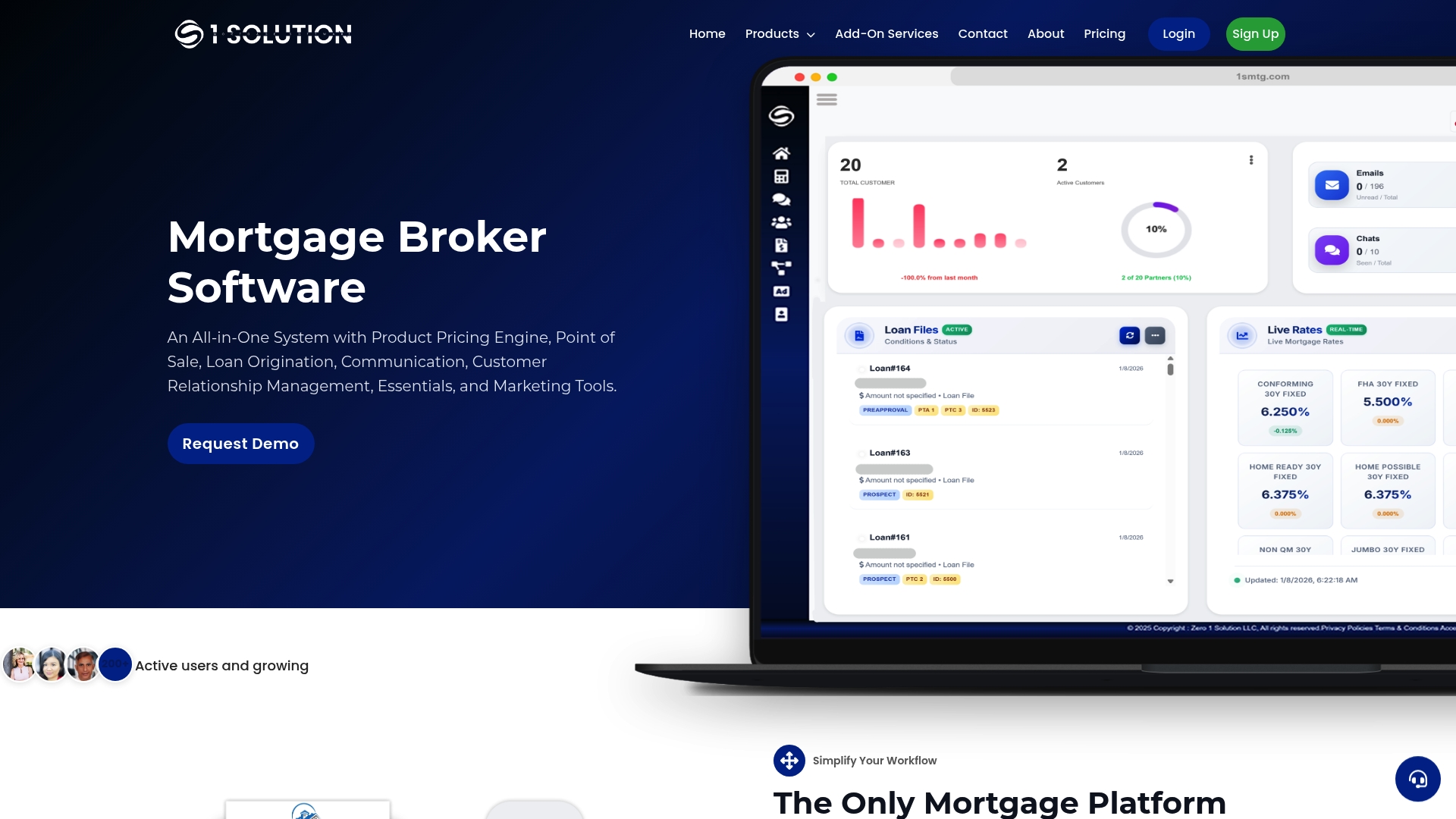
1 Solution Mortgage Software was built from the ground up by people who have worked as processors, underwriters, and loan originators. It is not a generic SaaS product retrofitted for mortgage. The platform brings together LOS, CRM, pricing engine, borrower POS portal, compliance tools, marketing automation, and communication in one connected system. No fragmented stack, no paying for five tools that do not talk to each other.
If you are a mortgage broker or brokerage looking for a platform that was designed around your actual workflow rather than adapted from something else, see what 1 Solution Mortgage Software offers and request a demo to see it in practice.
An honest perspective on what these tools actually deliver
The category of AI book summarizers has a credibility problem that most reviews avoid naming directly. The tools that market themselves most aggressively tend to be the ones with the widest gap between their landing page claims and their actual output on complex documents.
What consistently surprises practitioners who test these tools seriously is how much the quality difference between a good and a mediocre summarizer shows up not on simple non-fiction but on dense academic texts, long novels, and proprietary documents with unusual formatting. A tool that handles a Malcolm Gladwell book cleanly may completely lose the thread of a 400-page academic monograph or a technical report with tables and footnotes.
The other underappreciated factor is export fidelity. Getting a summary is step one. Getting that summary into your actual workflow, correctly formatted, in a notes app you already use, is where most tools quietly fail. Catalog services are particularly weak here because they are designed to keep you inside their ecosystem, not to feed your existing system.
The practical takeaway: do not evaluate a summarizer on a clean, well-formatted bestseller during your trial. Test it on the hardest document in your actual queue. That test will tell you everything the feature comparison table cannot.