
Loan officer software training is defined as a structured, role-based process that combines customized user interfaces, phased rollout schedules, and hands-on scenario practice to accelerate proficiency and maintain compliance. How loan officers get trained on software has evolved well beyond watching a vendor demo or reading a PDF manual. Today, platforms like Encompass, Velocify, Surefire CRM, and Microsoft 365 Copilot Business each require a deliberate onboarding methodology that matches the loan officer's daily responsibilities. The most effective programs follow a phased timeline, limit system complexity through role-based permissions, and keep a human reviewer in the loop for high-risk decisions.
How loan officers get trained on software: role-based interfaces
The single most important factor in loan officer software training is what the user sees when they log in. Role-based UI views reduce LOS ramp-up time by showing loan officers only the fields and functions relevant to their responsibilities. A processor's screen in Encompass looks nothing like a loan officer's screen, and that separation is intentional. When a new MLO opens the system and sees only their pipeline, borrower communications, and task queue, the learning curve drops immediately.

Why limiting visible fields speeds up adoption
Role-based permission configurations also enforce security and segregation of duties, which FFIEC and NCUA examiners look for during compliance audits. This means the customization serves two purposes at once: it simplifies training and satisfies regulators. Loan officers are not distracted by underwriting fields or processor queues they have no authority to touch. The result is faster onboarding and a cleaner audit trail.
Effective role-based configuration for loan officer training typically includes:
- Pipeline dashboard showing active loans, status milestones, and next required actions
- Borrower communication panel with templated messages, document request triggers, and status update logs
- Task queue filtered to only the loan officer's assigned files and pending conditions
- Rate and pricing tools integrated directly into the origination view, not buried in a separate module
- Compliance flags surfaced at the point of action, not discovered after the fact
Pro Tip: Run a pilot with three to five loan officers before a full team rollout. Train them on real loans currently in your pipeline, not fabricated test files. Scenario-based training with actual loan data produces better retention and surfaces configuration gaps you would never catch in a demo environment.
The customization work itself is not a one-time IT project. Interface customization is an ongoing operational control that must be reviewed as products, team structures, and regulations change. Treating it as a living system rather than a setup task is what separates high-performing mortgage operations from ones that constantly struggle with adoption.
What does a phased training timeline actually look like?
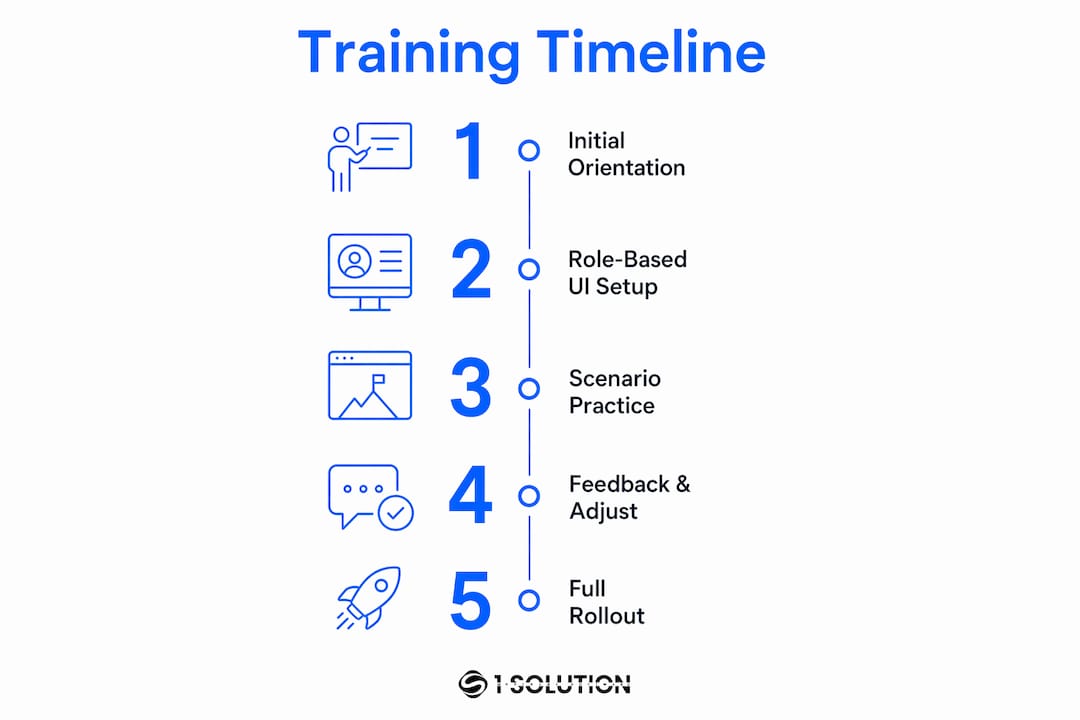
Phased training rollouts follow a multi-week schedule that moves loan officers from system discovery through to autonomous operation with structured checkpoints at each stage. The timeline scales with team size. Small teams of under ten loan officers can complete the full cycle in four weeks. Enterprise teams with complex integrations typically need six to eight weeks to coordinate rollout across all users and systems.
A standard four-week phased schedule looks like this:
- Week 1: Discovery and integration. Map existing systems, including the LOS, CRM, and point-of-sale platform. Identify data flows between tools like Encompass and Surefire CRM. Confirm user roles and permission structures before any training begins.
- Week 2: Workflow build. Configure lead nurture sequences, document chase automations, and milestone update triggers. Workflow rules in LOS platforms can trigger disclosure sending, status notifications, and auto-assignment, which eliminates manual repetitive steps that slow loan officers down.
- Week 3: Compliance review. Audit every automated workflow against TRID, ECOA, and RESPA requirements. Verify that branding on borrower-facing communications meets regulatory standards. This week is where most teams discover gaps between what the system does and what compliance requires.
- Week 4: Rollout with human oversight. Loan officers operate the system independently, but a senior reviewer monitors high-risk actions. Adverse-action notices, closing disclosure communications, and rate-lock decisions remain under human review until the team demonstrates consistent accuracy.
"The biggest mistake teams make is skipping the compliance review week because they feel behind schedule. That one week prevents the kind of errors that trigger regulatory scrutiny months later."
Iterative feedback loops matter throughout every phase. After each week, collect input from loan officers on what confused them, what slowed them down, and what they needed that the system did not surface. Adjust the interface configuration and training materials before moving to the next phase.
How scenario-based practice materials sharpen real skills
Abstract software demos do not prepare loan officers for the pressure of a live pipeline. Scenario-driven training materials that simulate borrower interactions, document chasing, and pipeline management produce measurably better readiness for daily responsibilities. The difference between a loan officer who watched a tutorial and one who practiced on real scenarios is visible within the first two weeks on the job.
Effective practice materials for loan officer software training cover these core workflows:
- Pipeline management: Moving loans through stages in the LOS, updating statuses, and flagging stalled files for follow-up
- Borrower communication: Drafting and sending pre-approval letters, conditional approval notices, and document request messages using CRM templates in tools like Surefire CRM
- Document chase: Triggering automated document requests through Encompass Partner APIs and tracking receipt in the system
- Conditional approval handling: Logging conditions, assigning them to the correct team member, and updating the borrower on outstanding items
- Rate lock and pricing: Accessing integrated pricing tools, locking rates within the LOS, and documenting the decision for the audit trail
Microsoft 365 Copilot Business accelerates communication drafting, underwriting summaries, and pipeline report generation, making it a practical addition to any loan officer's training toolkit. Loan officers who practice with Copilot during training arrive at live production already comfortable using it to draft borrower emails and summarize pipeline status. That comfort translates directly into time saved per file.
Training materials must be reviewed and updated on a regular schedule. Quarterly reviews of LOS interfaces and training content keep pace with loan volume changes, new product offerings, and team role shifts. A training module built for a conventional purchase market needs significant revision when the team shifts focus to investment property loans or renovation products.
Why human oversight belongs inside the training program
Automation handles the repetitive, low-risk steps in a loan officer's workflow. Human oversight handles everything else. Human-in-the-loop review is required for compliance-heavy tasks including adverse-action notices, closing disclosure communications, and rate-lock decisions. This is not a temporary training measure. It is a permanent operational control that loan officers must understand and practice from day one.
Training loan officers on when to escalate, when to override, and when to wait for a senior review is as important as training them on where to click. The regulatory consequences of an automated adverse-action notice sent without proper review under ECOA are severe. Loan officers who understand the reason behind the human-in-the-loop step follow it consistently. Those who see it as a bureaucratic delay tend to look for workarounds.
Documented controls and conditional access policies inside the LOS support this oversight structure. Workflow rules can be configured to require a second approval before certain communications are sent or certain decisions are logged. This creates an audit-ready record that satisfies both internal compliance teams and external regulators.
Pro Tip: Build the human-in-the-loop checkpoints directly into the compliance training materials so loan officers see them as part of the workflow, not as an interruption. When the system itself prompts the review step, compliance rates improve without requiring constant manager intervention.
Key takeaways
Effective loan officer software training combines role-based interface customization, phased rollout schedules, scenario-based practice, and permanent human oversight to produce compliant, confident MLOs faster than any single-method approach.
| Point | Details |
|---|---|
| Role-based interfaces accelerate adoption | Limiting visible fields to loan officer tasks reduces confusion and cuts LOS ramp-up time. |
| Phased timelines structure learning | Four to eight week schedules move teams from discovery through compliant autonomous operation. |
| Scenario practice beats abstract demos | Training on real pipeline loans builds readiness that tutorial videos cannot replicate. |
| Human oversight is a permanent control | Adverse-action notices and CD communications require human review beyond the training period. |
| Quarterly reviews sustain performance | Interface configurations and training materials must be updated as products and regulations change. |
What I have learned training loan officers on mortgage software
After spending more than two decades working as a processor, underwriter, loan originator, and systems consultant, I have watched a lot of software training programs fail for the same reason. Teams treat the LOS configuration as a setup task and the training as a one-time event. Then six months later, adoption is low, loan officers are working around the system instead of through it, and compliance is finding gaps in the audit trail.
The programs that actually work share one characteristic: they treat the software environment as something that belongs to the loan officer, not to IT. When a loan officer's dashboard reflects their actual pipeline, their actual borrower communication needs, and their actual daily tasks, they stop resisting the system and start relying on it. That shift happens through role-based customization done right, not through more training hours.
I am also direct about the human-in-the-loop requirement. Some operators see it as a bottleneck. I see it as the only thing standing between a well-intentioned automation and a regulatory action. Training loan officers to respect that boundary, and building it into the system so they cannot accidentally bypass it, is the most important compliance investment a mortgage operation can make in 2026.
The tools available today, from Encompass to Microsoft 365 Copilot Business, are genuinely powerful. But the technology is only as good as the training program built around it. Invest in the loan officer onboarding structure first, and the software will perform the way it was designed to.
— Omar Khamisa
Built for brokers: how 1 Solution Mortgage Software supports your team
If you are building or rebuilding a loan officer training program, the platform underneath it matters as much as the methodology on top of it.
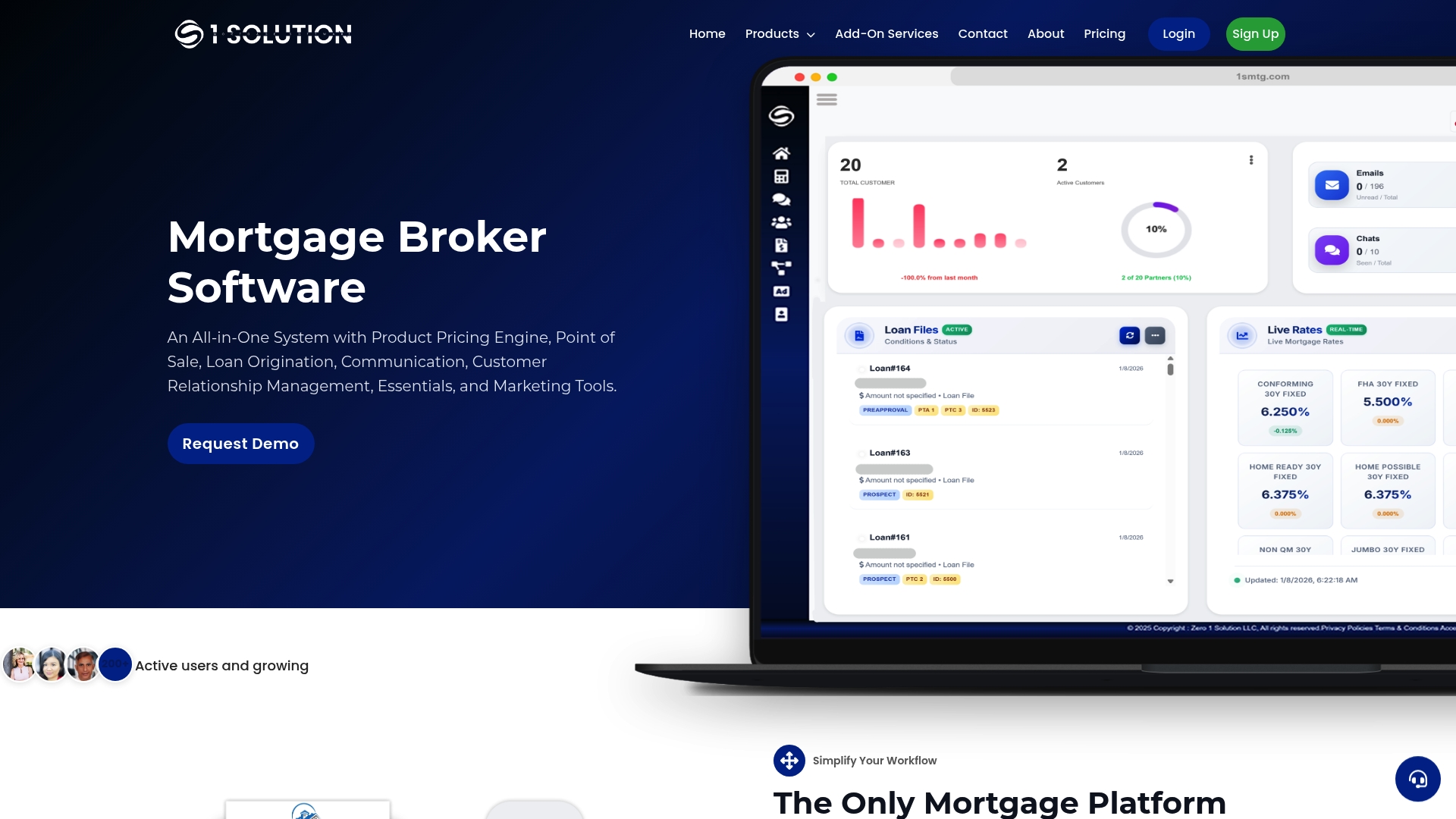
1 Solution Mortgage Software was built by mortgage professionals who have worked every role in the operation, from processing to origination to compliance. The platform brings together LOS, CRM, POS, pricing, compliance, and communication tools into one connected system designed specifically for independent mortgage brokers. Role-based customization is built in, not bolted on. Phased onboarding support and workflow configuration are part of how we work with every team. If you want a platform that your loan officers will actually use, and that your compliance team will actually trust, explore what 1 Solution offers.
FAQ
What is role-based interface customization in loan officer training?
Role-based interface customization means configuring the LOS so each user type sees only the fields and tools relevant to their job. For loan officers, this means a pipeline view, borrower communication panel, and task queue, without processor or underwriting screens adding confusion.
How long does loan officer software training typically take?
Phased training timelines range from four weeks for small teams to six to eight weeks for enterprise operations. The timeline depends on team size, system complexity, and the number of integrations being configured.
Why is scenario-based training better than video tutorials?
Scenario-based training uses real loan files and live system workflows, which builds the muscle memory that abstract demos cannot. Loan officers who train on actual pipeline scenarios make fewer errors and reach full productivity faster.
What is human-in-the-loop in mortgage software training?
Human-in-the-loop means keeping a senior reviewer responsible for high-risk automated actions, such as adverse-action notices and closing disclosure communications. It is a compliance control that loan officers must understand and practice as part of their standard workflow.
How often should loan officer training materials be updated?
Quarterly reviews of both LOS interface configurations and training content are the standard for keeping pace with product changes, regulatory updates, and team role shifts.