
Yes, you can switch CRM systems without losing your data or your pipeline, but only if you follow an audited, canonical data pilot and parallel run approach. The plan has five moving parts: audit your current system, map every field to a canonical data model, pilot the migration with a real sample and run both systems side by side, train your team on actual tasks, and cut over with clear rollback criteria written down in advance. Expect a 30 to 90 day parallel run and a temporary productivity dip in the range of 20% to 40% while your team adjusts. Start today by building an audit checklist of every field, integration, and workflow your current CRM touches.
- Audit current CRM usage and export a full field inventory
- Build a canonical data model and map custom fields
- Pilot migrate a sample, then run both systems in parallel
- Train by role and task, not by feature tour
- Cut over on a fixed date with documented rollback triggers
Pro Tip: Treat the audit like a home inspection before closing. You would never skip it on a purchase this size, and your CRM migration deserves the same scrutiny.
Key Takeaways
| Point | Details |
|---|---|
| Audit before exporting | Catalog fields, integrations, and actual usage patterns before touching your data. |
| Map to a canonical model | Define core record types and validation rules so document linkages survive the move. |
| Run a real parallel window | Compare both systems for 30 to 90 days before fully retiring the old CRM. |
| Budget the migration tax | Plan for $75,000 to $300,000 in migration costs beyond licensing and a temporary productivity dip. |
| Choose an integrated platform | 1 Solution Mortgage Software combines CRM, POS, LOS, and compliance to cut migration touchpoints. |
Table of Contents
- Inventory and Audit: What to Capture Before Switching Mortgage CRM Software
- How Do You Build a Canonical Data Model for a CRM Migration?
- What Does a Pilot Migration and Parallel Run Look Like?
- Training That Sticks: Teaching Actual Tasks, Not Features
- Cutover Timeline, Budget, and the Real Migration Tax
- Integration and Compliance Testing Before You Go Live
- Vendor Questions and Sign-Offs That Prevent Scope Drift
- Why a Founder With 20 Years in Operations Trusts This Process
- The Lesson I Keep Relearning About Migrations
- How 1 Solution Supports Your CRM Migration
- Sources
Inventory and Audit: What to Capture Before Switching Mortgage CRM Software
Before you export a single record, you need a full inventory of what your current CRM actually holds and does. This is the step most brokerages skip, and it is the reason most switch mortgage software projects run over budget.
- Catalog every standard and custom field, including tags, notes, and any field tied to investor or regulatory reporting.
- List active pipeline loans and loans in process separately from closed files, since these need different migration handling.
- Document every integration: LOS and POS connections, dialers, webhooks, automations, and scheduled reports.
- Pull access logs and automation firing rates to separate fields your team actually uses from legacy clutter nobody touches anymore.
Pro Tip: Ask three loan officers on your team to walk you through their daily CRM workflow before you touch the export button. What they actually click matters more than what the system manual says they should click.
How Do You Build a Canonical Data Model for a CRM Migration?
A canonical data model is the single source of truth that every field from your old system maps into before it lands in the new one. Without it, migrating mortgage data becomes a guessing game, and most platform migrations fail because data quality problems surface too late to fix cheaply.
Start by defining core record types: contacts, loans, documents, and communications, each with validation rules for required fields like loan number, investor code, and closing date. Then run the mapping workflow in four stages: export the raw data, map each field to its canonical counterpart, transform formats where they do not match, and validate the results against source records.
- Flag custom fields with no clean home in the new system and decide whether to archive them as notes or attachments.
- Reserve time for flattened references, where one old field split across three new ones.
- Validate a sample of migrated records for document linkages, date field accuracy, and investor code integrity before scaling up.
Data migration alone typically consumes 30% to 40% of the entire project's timeline and budget, and broken document linkages are the most common defect brokers discover after it is too late to fix cleanly. A guide focused specifically on mortgage company data migration walks through the field mapping process in more depth.
What Does a Pilot Migration and Parallel Run Look Like?
A pilot migration tests your canonical model on real records before you commit your whole pipeline to it. Pick pilot records deliberately, not at random.
- Select a mix of active pipeline loans, recently closed files, and edge cases like co-borrowers or investor overlays.
- Migrate that sample into a test environment and validate a statistically meaningful set of loans before declaring the pilot a success.
- Set acceptance criteria in advance: document linkages intact, dates accurate, disclosures matching, no missing investor fields.
- Once the pilot passes, run both systems in parallel for 30 to 90 days, comparing disclosures, fees, and reports daily or weekly.
- Write down rollback triggers before you start. If disclosure mismatches exceed your tolerance or a compliance field goes missing, you stop and fix it, not push forward and hope.
Pro Tip: Budgeting for the parallel run up front is far more cost effective than fixing a compliance finding after the fact, a lesson borne out across LOS migration benchmarks.
Training That Sticks: Teaching Actual Tasks, Not Features
Generic feature tours do not shorten the productivity dip after a mortgage CRM switch. What works is scenario-based training built directly from your audit findings: if your loan officers spend most of their time on lead follow-up sequences, that is where training starts, not the reporting dashboard nobody opens.
- Build short job aids and cheat sheets for the five or six tasks your team performs daily.
- Train a small group of "super users" first, then let them train their peers, since peer instruction sticks better than a vendor webinar.
- Record two-minute screen videos for the tasks people forget fastest, like re-linking a document to a loan file.
- Staff your pipeline to absorb the expected productivity dip rather than pretending it will not happen, and track ticket volume weekly to measure recovery.
Cutover Timeline, Budget, and the Real Migration Tax
Cutting over on the wrong date turns a manageable transition into a crisis. Never schedule cutover during your peak closing season. Aim for a slower month, and build in at least two weeks of schedule buffer beyond your best-case estimate.
The migration tax is real and worth budgeting for honestly. Full LOS-adjacent migrations typically run several months and can cost tens to hundreds of thousands of dollars beyond licensing fees, a figure that includes implementation, data migration services, and integration development. CRM-only switches tend to run smaller, but the same categories apply.
| Cost Category | What It Covers |
|---|---|
| Implementation fees | Vendor setup, configuration, and initial account structure |
| Data migration services | Export, mapping, transformation, and validation labor |
| Integration development | Rebuilding LOS, POS, dialer, and investor connections |
| Training | Role based sessions, job aids, and super user coaching |
| Productivity loss | Temporary output dip during pilot, parallel run, and cutover |
Migrations that skip this buffer almost always run over on both counts.
Integration and Compliance Testing Before You Go Live
Every connected system needs its own test pass before cutover, not a single blanket check. Skipping this step is how brokers discover a broken investor feed three weeks after go-live, when it is far more expensive to fix.
- Test credit pull integrations end to end, confirming data flows into the correct fields in the new system.
- Verify appraisal and title integrations trigger correctly and file back into the loan record.
- Confirm LOS sync timing and field mapping matches what the legacy system produced.
- Test investor boarding files against a sample loan to catch formatting mismatches before delivery day.
- Validate dialer and telephony integrations, including call logging and disposition codes.
- Compare disclosure and compliance reports from both systems during the parallel run to confirm parity.
- Review access logs and audit trails against NIST Cybersecurity Framework baseline expectations, since regulators expect a documented control structure, not an informal one.
Lenders broadly are moving toward modular, API-driven tech stacks, and that shift makes integration testing more important, not less, since more connection points means more places for something to quietly break.
Vendor Questions and Sign-Offs That Prevent Scope Drift
Before you sign a contract, get vendor commitments in writing, not verbal assurances during a sales call.
- Ask exactly what import formats the vendor supports and request two reference clients who completed a similar migration.
- Confirm whether the vendor provides migration tooling or professional services, since vendors that handle migration directly typically shorten timelines and reduce internal workload.
- Get implementation SLAs and any penalty clauses for missed milestones in writing, along with written confirmation that your specific integrations are supported, not just theoretically compatible.
- Run identical scenario demos across every vendor you consider using your real workflows, since polished canned demos hide implementation gaps that only show up once you are live.
- Require internal sign-off from three roles before cutover: a data migration lead, a compliance reviewer, and an operations lead who accepts the system as ready for full volume.
Why a Founder With 20 Years in Operations Trusts This Process
Omar Khamisa spent more than two decades as a processor, underwriter, loan originator, and systems consultant before building 1 Solution Mortgage Software. That background is why the migration approach here favors audited pilots over leaps of faith: he watched too many brokerages lose pipeline visibility during a rushed cutover.
An integrated platform that combines CRM, POS, LOS, and compliance tools under one roof cuts the number of migration touchpoints dramatically. Instead of remapping data across four separate systems with four separate vendors, you are mapping into one connected environment, which is exactly the kind of modular, API-driven approach the industry is moving toward.
Pro Tip: When comparing platforms, ask each vendor how many separate systems your data will need to pass through to get from lead to closed loan. Fewer handoffs means fewer places for a record to get corrupted.
The Lesson I Keep Relearning About Migrations
The biggest failure mode I have seen isn't bad software. It's teams that skip the parallel run because they are eager to be done. Every time a brokerage rushes cutover, a document linkage or investor field breaks quietly, and nobody notices until a compliance review flags it months later. Run both systems side by side longer than feels necessary. That discomfort is cheaper than the alternative.
— Omar Khamisa
How 1 Solution Supports Your CRM Migration
Switching mortgage CRM software gets simpler when your new platform is built to receive data cleanly instead of forcing you to bolt one system onto another. 1 Solution Mortgage Software combines CRM, POS, LOS, pricing, compliance, and communication tools into one connected environment, which means your canonical data model maps into a single destination instead of four separate ones.
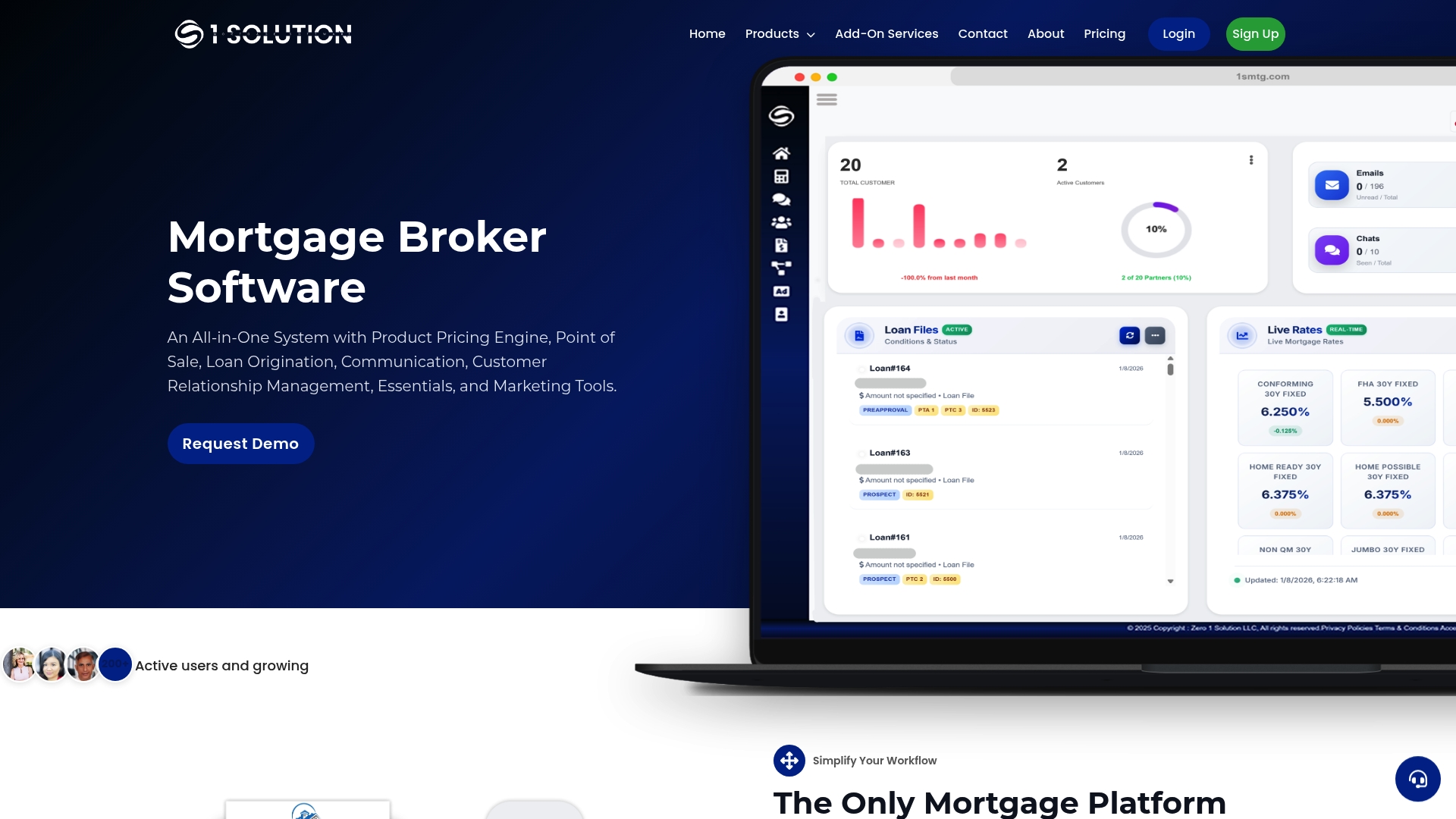
Our team supports the migration steps covered here directly: field mapping guidance, integration testing across your LOS and investor connections, structured training by role, and support during your parallel run window. If your brokerage is planning a switch, request a migration scoping session or book a demo at 1smtg to see how your specific fields, integrations, and workflows would map into the platform before you commit to a cutover date.
Sources
- How to Switch Your LOS: A Practical Migration Guide | The LOS Directory
- 3 Steps for Switching Loan Servicing Platforms | The Mortgage Office
- NIST Cybersecurity Framework