

Pricing engine integration means connecting a rules-based pricing system to the platforms that need live prices, quotes, and terms, whether that's an e-commerce cart, a CPQ tool, or a mortgage POS portal. The main benefit is consistent pricing logic in one place instead of scattered spreadsheets, and the main technical expectation is API-driven, real-time calls backed by caching and fallback logic so a slow pricing service never stalls a customer's screen.
TL;DR:
- Real-time pricing is essential only for volatile inputs and personalized scenarios, while batch updates are sufficient for static catalog prices.
- API request endpoints typically include
/price,/shop, and/reshop, with runtime parameters covering item ID, customer profile, location, currency, and effective date.- Caching must be aligned with how often each pricing dimension changes to prevent load spikes without sacrificing data freshness.
- Authentication should rely on API keys, OAuth2, or mutual TLS, coupled with input validation and error handling for throttling, timeouts, and partial failures.
- The most common pitfalls include ambiguous contract design, neglecting cache and UX considerations, and limited monitoring focused only on uptime.
Table of Contents
- What a Pricing Engine Does and Why Integration Choices Matter
- Which Integration Architecture Fits Your System?
- What API Endpoints and Parameters Should You Expect?
- How Fast Does Real-Time Pricing Need to Be?
- How Do You Secure and Monitor a Pricing API?
- How Do You Roll Out a Pricing Engine Integration Safely?
- How Does 1 Solution Approach Pricing Engine Integration?
- What Pitfalls Should You Watch For?
- Where Can You Find More Implementation Detail?
- Get a Pricing Engine Built for How Brokers Actually Work
- Sources
What a Pricing Engine Does and Why Integration Choices Matter
A pricing engine centralizes the logic that decides what something costs. Under the hood, that means rule engines that apply discounts and margins, customer hierarchies that determine who gets what rate, price history for audits, and derivation rules that calculate a final number from a base price plus adjustments. None of that matters if the engine can't get its answer to the system where a customer or loan officer is actually working.
The use cases vary more than most teams expect. An e-commerce storefront needs a price the instant a shopper adds an item to a cart. A CPQ tool needs to price a multi-line quote with volume discounts and bundle logic. A mortgage broker portal needs a rate comparison built from live investor pricing, borrower credit profile, and loan-to-value ratio, often refreshed multiple times during a single call with a client.
That range of use cases forces a real decision: batch or real-time.
- Batch pricing works when prices update on a predictable schedule, such as daily catalog pricing or monthly rate sheets that don't shift within the business day.
- Real-time pricing is required when price depends on volatile inputs, personalization, or inventory that changes by the minute, which describes most lending and e-commerce scenarios today.
- Hybrid approaches are common: batch-refresh the bulk of the catalog, then layer real-time calls only for the segments that actually need it, like promotional SKUs or rate-sensitive loan products.
Get this classification wrong and you either overbuild infrastructure for prices that barely move, or you underbuild it for the ones that move constantly.
Which Integration Architecture Fits Your System?
Four patterns cover almost every real-world pricing engine integration project, and picking the wrong one is the single most common reason these projects run over budget.
- API-first, request-time calls. The client system calls the pricing engine directly at the moment a price is needed. This is the standard for personalized, low-latency pricing where the customer is waiting on the other end, like a rate quote in a borrower portal. Optimizely's real-time pricing model works this way: a plug-in calls an external pricing service, and the platform manages caching and timeouts around that call so a slow response doesn't freeze the page.
- Event-driven and webhook propagation. Instead of asking for a price every time, the pricing engine pushes updates outward when something changes, and downstream systems invalidate their caches accordingly. Vendors building on this model often pair webhooks with an append-only changelog, which makes it possible to reconstruct exactly what a price was at any past moment, a feature some pricing platforms treat as core to audit readiness.
- Middleware or message-bus routing. In enterprise environments with a dozen connected systems, point-to-point API calls become unmanageable. A message bus decouples the pricing engine from each consumer, which matters most when ERP, CRM, and CPQ all need the same price but shouldn't all depend directly on the pricing service staying online.
- Batch synchronization. Scheduled jobs publish price files or database updates on a fixed cadence, still the right call for catalogs that genuinely don't need per-request freshness.
Pro Tip: Don't default to real-time everywhere just because it's the newest pattern. A batch job that runs every fifteen minutes is simpler to build, cheaper to run, and plenty fast for most non-personalized pricing. Reserve real-time calls for the specific slice of your catalog or loan products where the price genuinely depends on live inputs.
What API Endpoints and Parameters Should You Expect?
Most pricing engine integrations converge on a small set of endpoints, even across unrelated industries. Enterprise integration documentation, including Unisys AirCore's pricing engine guide, lays out three recurring endpoint types worth building your contract around:
/pricereturns a single calculated price for one item or configuration, the workhorse endpoint for most quote screens./shopreturns multiple priced options at once, useful when a customer is comparing several products, terms, or loan scenarios side by side./reshoprecalculates pricing after something changes mid-session, like a borrower adjusting the down payment or a shopper applying a coupon.
Runtime parameters typically specify the endpoint URL, an integration flag toggling the connection on or off, and authentication tokens, following the pattern the Unisys documentation calls out for configuring /shop, /price, and /reshop calls against a live host and port.
On the request side, expect to send: item or SKU identifiers, customer context (segment, hierarchy, or borrower profile), quantity, ship-to or delivery location, currency, and an effective date for the price. On the response side, a well-designed pricing API returns the final price, a breakdown of how it was derived, the rule or discount IDs applied, an effective date range, and confidence or flag fields indicating whether a manual review is needed.
Error handling deserves its own attention. Build explicit handling for throttling responses (HTTP 429), timeouts, and partial failures, with a retry policy that uses exponential backoff rather than immediate retries that can pile onto an already-struggling service. A pricing call that fails silently is worse than one that fails loudly, because silent failures show customers stale or wrong prices without anyone noticing until a complaint arrives.
How Fast Does Real-Time Pricing Need to Be?
Latency is where real-time pricing integrations either earn their keep or quietly frustrate everyone using them. Set a service-level objective for pricing calls and hold your engine to it, targeting a low p99 latency (the response time for the slowest 1% of requests, which is what customers actually notice) rather than optimizing only for the average case.
Caching is the lever that makes this achievable. Effective server-side caching typically layers across several dimensions:
- Product or SKU level, since most requests repeat the same handful of items.
- Customer or segment level, because pricing often varies by tier or hierarchy.
- Ship-to or jurisdiction level, when tax or delivery zone affects price.
- Currency, for any multi-market catalog.
Set a time-to-live on each cache layer that matches how often that dimension actually changes, and invalidate proactively on price updates rather than waiting for the cache to expire naturally. Industry analysis of real-time pricing adoption points to caching as the standard technique for protecting back-end pricing systems from load spikes without sacrificing freshness.
On the client side, don't let a pricing call block page render. Lazy-load the price after the rest of the page paints, and show a placeholder or skeleton state rather than a blank field. For high-volume quote systems, rate limiting at the gateway and horizontal scaling behind a load balancer both matter more than a faster individual server.
Pro Tip: Cache the last known good price alongside the live one. When the engine times out, serving a clearly labeled "as of" price beats showing an error page, and it keeps the transaction moving instead of losing the customer entirely.
How Do You Secure and Monitor a Pricing API?
Pricing data is financially sensitive, which makes authentication and validation non-negotiable rather than optional hardening. Most production pricing engine integrations rely on one of three authentication approaches: API keys for simpler internal integrations, OAuth2 for systems that need scoped, revocable access, or mutual TLS for the highest-security enterprise and financial connections. Pair whichever you choose with IP whitelisting on the pricing engine side to limit which systems can even attempt a call.
Input validation matters just as much as authentication. Every incoming request should be checked against expected ranges and formats before it reaches pricing logic, closing off the possibility that a manipulated quantity field or forged customer ID produces a price that was never meant to exist.
Testing needs to happen at three levels before anything reaches production:
- Contract tests that verify the API's request and response shapes haven't silently drifted.
- Synthetic checks that run real pricing scenarios on a schedule to catch problems before customers do.
- Load and performance tests that confirm the system holds its latency targets under peak volume, not just average traffic.
Once live, four monitoring signals matter most: availability (is the endpoint reachable), latency percentiles (not just averages), error rate by type, and price-drift alerts that flag when a returned price deviates unexpectedly from historical patterns. That last one catches configuration mistakes and manipulation attempts that pure uptime monitoring would miss entirely. Teams building mortgage rate quote accuracy strategies lean heavily on this kind of drift detection, since a wrong rate quote carries real regulatory and reputational weight.
How Do You Roll Out a Pricing Engine Integration Safely?
A pricing engine integration succeeds or fails based on the sequence you follow, not just the technology you pick. Five phases cover the full path from idea to production.
- Discovery. Map every system that needs pricing data, ERP, CRM, CPQ, e-commerce, or a loan processing platform, along with the stakeholders who own each one and the data sources feeding the engine today.
- Design. Define the API contract, agree on service-level agreements for latency and uptime, and pick the integration pattern (real-time, event-driven, or batch) for each use case rather than assuming one pattern fits everything.
- Build. Develop the adapters connecting each system, add caching and authentication layers, and instrument logging and telemetry from day one rather than bolting it on after launch.
- Test. Run contract tests, performance tests under realistic load, and user acceptance testing against a representative catalog, not a trimmed-down demo set that hides edge cases.
- Rollout. Deploy through a staged canary release to a small user segment first, watch the monitoring signals closely, and keep a rollback path and cached-price fallback ready in case something breaks.
| Rollout phase | Primary risk if skipped |
|---|---|
| Discovery | Missed systems surface as integration gaps months later |
| Design | Mismatched SLAs cause finger-pointing when latency issues appear |
| Build | Missing telemetry means outages get diagnosed blind |
| Test | Edge cases in real catalogs break production on day one |
| Rollout | A full cutover with no fallback turns any bug into an outage |
Budget and timeline pressure often push teams to compress discovery or skip staged rollout entirely. Teams evaluating mortgage software costs and total cost of ownership should treat that compression as a false economy: the cost of a rushed rollout almost always exceeds the cost of the extra two weeks discovery would have taken.
How Does 1 Solution Approach Pricing Engine Integration?
Omar Khamisa built 1 Solution Mortgage Software after two decades working as a processor, underwriter, loan originator, and systems consultant, watching brokers get stuck stitching together pricing tools that were never designed to talk to each other. That experience shaped how the platform's product pricing engine connects to everything else brokers rely on.
Inside 1 Solution, the pricing engine doesn't sit in isolation. It feeds live rate comparisons directly into the borrower POS portal, hands off pricing context to the CRM the moment a lead engages, and passes final terms into the LOS without a broker re-entering numbers by hand. That's the same integration-first principle covered throughout this guide, real-time calls, sensible caching, and consistent data flowing between systems, built specifically for how independent brokers actually work rather than adapted from bank-scale infrastructure.
Because 1 Solution is self-funded and built by mortgage professionals, the pricing logic reflects how brokers actually quote, not how a boardroom imagined they might. That's the difference between software that requires workarounds and software that fits the job from day one.

What Pitfalls Should You Watch For?
Three mistakes account for most failed pricing engine integrations I've seen discussed across implementation teams: inadequate contract design that leaves too much ambiguous between systems, ignoring the cache and UX tradeoff until customers are staring at blank price fields, and monitoring that only checks uptime while missing latency creep and price drift entirely.
Success looks measurable, not vague. Watch for consistent quotes across every channel a customer touches, faster response times on price requests, and a drop in pricing exceptions that need manual review. If your exception queue isn't shrinking six weeks after go-live, something in the rule engine or the integration contract needs a second look.
If you're evaluating an integration now, start by writing down every system that currently touches pricing data before you write a line of code. That inventory will surface more integration risk than any architecture diagram.
— Omar Khamisa
Where Can You Find More Implementation Detail?
For teams building out the technical contract, these references cover the endpoint structures, runtime parameters, and real-time plug-in patterns discussed throughout this guide:
- Pricing Engine Integration — Unisys AirCore 6.1
- Real-time pricing — Optimizely Configured Commerce
- Pricing — Optimizely Commerce Connect
- Price a Master Quote Using an External Pricing Engine — Salesforce Help
Get a Pricing Engine Built for How Brokers Actually Work
1 Solution Mortgage Software is the alternative to piecing together separate pricing, CRM, and LOS tools from different vendors and hoping they sync correctly. Instead of building custom middleware to connect a standalone pricing engine to your CRM and borrower portal, brokers get a product pricing engine that already talks to those systems natively, because they were built together from the start.
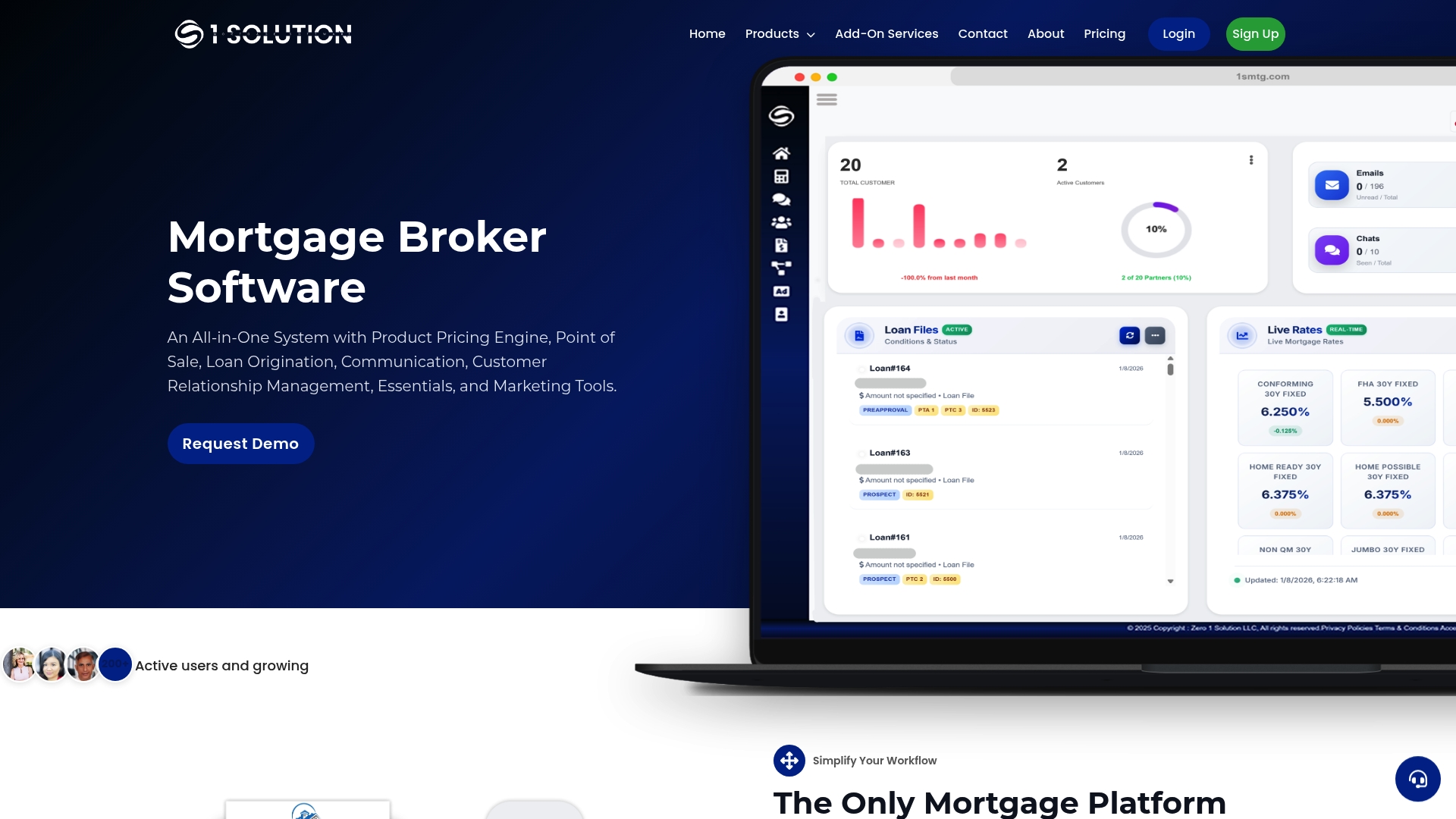
That matters most for the exact reader this guide is for: a broker or brokerage owner who understands the integration challenges covered above and doesn't want to manage them internally. 1 Solution suits independent mortgage professionals who want live rate comparisons, proposal generation, and pre-approval workflows running on one connected platform rather than a patchwork of point solutions. If the architecture questions in this article felt like a preview of your next six months, see how 1 Solution Mortgage Software's platform handles pricing, CRM, and LOS together, and request a demo to see your own pricing scenarios run through it.
Sources
- Pricing Engine Integration — Unisys AirCore 6.1
- Real-time pricing — Optimizely Configured Commerce
- Pricing — Optimizely Commerce Connect
- Price a Master Quote Using an External Pricing Engine — Salesforce Help