
A mortgage CRM migration is safe when you treat it as a data-first project, not an IT afterthought. Export a complete data snapshot, confirm your LOS integration before you schedule a cutover date, and run the old and new systems in parallel until spot checks confirm parity. Done this way, on a time-boxed schedule typically lasting about a month, you can switch platforms without losing a single deal in progress.
TL;DR:
- Export all six key data categories, including contact relationships, loan details, communications, documents, automation states, and audit logs, in structured formats before migration.
- Map and verify custom fields, timestamps, and document IDs carefully, producing a detailed mapping document to prevent data loss or broken links.
- Test all integrations with the LOS, pricing engine, and e-signature platform thoroughly using sample data, and document rollback procedures beforehand.
- Follow a strict 30-day phased schedule for full data migration, validation, and user acceptance testing, to identify errors early and avoid project delays.
- Keep the old CRM in read-only mode for at least two weeks after go-live, and conduct comprehensive post-migration reviews to resolve any lingering data or automation issues.
Table of Contents
- What Should You Export Before a Mortgage CRM Migration?
- How Do You Map Fields Between Two CRMs?
- Which Integrations Do You Need to Test Before Migrating?
- What Does a 30-Day Mortgage CRM Migration Timeline Look Like?
- How Do You Verify a Mortgage CRM Migration Before Go-Live?
- How Do You Train Loan Officers on a New CRM Without Losing Production?
- How Do You Preserve Audit Trails During a CRM Migration?
- What Are Common Problems After a Mortgage CRM Migration?
- How Do You Back Up Your Data Before Migrating CRMs?
- How Do You Manage Risk During a CRM Migration?
- How Do You Communicate a CRM Migration to Your Team and Clients?
- What Support Do You Need After a Mortgage CRM Migration?
- A Practitioner's View: What Teams Usually Miss
- Get Migration Support From a Platform Built for Brokers
- Sources
- FAQ
What Should You Export Before a Mortgage CRM Migration?
Every mortgage CRM migration starts the same way: pull everything out before you touch anything else. The teams that lose data during a CRM data migration almost always skipped an export category they assumed the vendor would "just handle."
Build your export around six categories:
- Contacts and relationship graph — full contact records with custom fields, referral source tags, and any linked household or co-borrower relationships.
- Loan and pipeline records — every loan file with complete stage history, milestone dates, and the original loan ID, not just the current status.
- Communication history — emails, SMS threads, call logs, and internal notes, each with its original timestamp intact.
- Documents and metadata — files plus their upload dates, associated loan ID, and any document templates your team built.
- Campaign and automation state — which contacts sit in which drip sequence, and at what step.
- Audit logs — raw, unformatted exports whenever the vendor offers them, since these are what regulators and auditors actually want to see.
Ask your outgoing vendor for exports in structured formats (CSV, JSON, or their native API output) rather than PDF summaries. A PDF looks complete. It is not importable.
How Do You Map Fields Between Two CRMs?
Field mapping is where most mortgage CRM transition projects quietly go wrong, because two systems rarely define "loan status" or "custom field" the same way. Reconciling that gap takes a deliberate process, not guesswork.
- Inventory every custom field in the old system and classify each one: map it directly, re-create it with new logic, or archive it as historical reference only.
- Preserve timestamps and author fields. Ask the new vendor directly how they store audit metadata, and confirm whether the "created date" you see is the true origination date or an import artifact.
- Never dump structured data into a free-text notes field. A loan milestone date buried in a notes blob is unsearchable and useless for reporting six months later.
- Decide on document IDs early. Some CRM integration solutions let documents keep their original ID during import; others force a re-upload that breaks existing links from LOS or e-sign platforms.
- Produce a written mapping document before you import anything. That document becomes your QA script during test imports.
Which Integrations Do You Need to Test Before Migrating?
A mortgage CRM rarely lives alone. It talks to your loan origination system, your pricing engine, your e-signature platform, and often your document storage. Each connection needs its own verification pass before go-live, because a working CRM with broken integrations just relocates your problems instead of solving them.
- Identify every required integration and whether it's a native connection or something that runs through an API or middleware layer.
- Run test syncs on a sample set of 10 to 20 loan files and verify data round-trips correctly in both directions.
- Confirm ID persistence. If loan IDs change on import, every downstream report and integration that references the old ID breaks silently.
- Watch for API rate limits. Bulk imports that hammer a pricing engine's API can get throttled or blocked mid-migration.
- Document a rollback option for each integration, so a failed sync doesn't strand a loan file mid-process.
Marketplace listings are a practical place to check this before you sign anything. The Salesforce AppExchange listing for mortgage integrations shows which LOS connections and migration consultants already exist for that ecosystem, and the HubSpot ecosystem's VantagePoint listing does the same for CRM extensions built on that platform.
What Does a 30-Day Mortgage CRM Migration Timeline Look Like?
A phased, time-boxed schedule keeps a mortgage software migration from dragging into an open-ended project that never quite finishes. This structure works for most independent brokerages:
- Week 0 (Prep): Assign an owner for each data category, build a complete data inventory, and pull a sample export to test formats.
- Week 1 (Sandbox): Import the sample into a test environment, check the field mapping document against real records, and adjust.
- Week 2 (Integrations): Validate LOS, pricing engine, and e-sign connections. Rebuild automations and drip campaigns in the new system.
- Week 3 (Full import and UAT): Run the complete data migration, then have a small pilot group of loan officers test real workflows.
- Week 4 (Go-live): Cut over for new business, keep the old CRM in read-only mode as a fallback, and monitor closely for the first two weeks of live use.
Guides across the industry converge on roughly this 30-day structure, and for good reason: it's long enough to catch mapping errors in a sandbox, but short enough that nobody forgets why the project started.
How Do You Verify a Mortgage CRM Migration Before Go-Live?
Validation is not a one-time click-through. It's a structured check against specific acceptance criteria, run before you let the whole team log into the new system for production work.
- Spot-check 10 complex cases with multiple borrowers, dense document sets, and long audit trails. Simple files rarely reveal mapping problems.
- Confirm automation membership. Contacts should land in the correct campaign step, not reset to the beginning of a sequence.
- Verify pipeline totals and standard reports against your pre-migration numbers. A mismatch here usually points to a mapping error, not a reporting bug.
- Keep the old CRM read-only for a defined fallback window, typically two to four weeks past go-live.
- Set go/no-go gates with named owners who sign off on each category before cutover proceeds.
Pro Tip: Pick your ugliest, most complicated loan file for the spot check, the one with three amendments and a co-borrower change mid-process. If that file survives the migration intact, your simple files almost certainly will too.
How Do You Train Loan Officers on a New CRM Without Losing Production?
Adoption fails when training happens all at once, right before go-live, for everyone simultaneously. Stagger it instead.
- Train power users first. Give your most CRM-comfortable loan officers early access, then have them build quick-reference guides in their own words.
- Use short recorded videos for repeatable tasks, backed by scheduled office hours for live questions instead of one long training session nobody remembers.
- Name migration champions on each team who verify their own group's data and escalate mismatches directly to the project owner.
- Measure adoption with real numbers: login frequency, task completion in the new system, and support ticket volume in the first 30 days.
How Do You Preserve Audit Trails During a CRM Migration?
Compliance risk during a mortgage lead management transition rarely looks like missing loans. It looks like missing context: a timestamp that no longer matches when a disclosure actually went out, or an author field that vanished during import.
- Preserve timestamps, author metadata, and event sequencing so any file can be reconstructed exactly as a regulator would expect to see it.
- Archive a secondary export if your new vendor's retention policy differs from what you need to keep for your state or investor requirements.
- Confirm TCPA consent metadata and disclosure timing survive the move. Consent records are often stored as simple flags with no timestamp, which is a problem the moment a complaint surfaces.
- Get vendor commitments in writing on data handling, export rights, and retention terms before you sign a contract, not after.
Migration failures rarely delete data outright. More often they quietly degrade the audit trail and metadata that make a file legally reconstructible, and that damage tends to surface months later, during an audit or a borrower complaint, when it's expensive to fix.
What Are Common Problems After a Mortgage CRM Migration?
- Missing timestamps or author fields: Restore them from your original export where possible; don't guess at dates.
- Custom fields dumped into notes: Rebuild the proper mapping and reimport the affected records, prioritizing active files.
- Integration mismatches: Re-run syncs for the specific case IDs involved and review the API logs for the actual error.
- Duplicate records: Run a de-duplication pass, but review merge candidates manually before combining loan files.
- Missed automation triggers: Replay the missed events where the platform allows it, rather than manually re-adding contacts.
How Do You Back Up Your Data Before Migrating CRMs?
Never migrate directly from your live production system. Pull a complete, dated backup first and store it somewhere entirely outside both CRMs, ideally a cloud storage bucket or an encrypted external drive your IT contact controls directly.
That backup needs to include every category from your export checklist: contacts, loan records, documents, communications, and audit logs, in their original structured format rather than a summary export. Label it clearly with the export date and keep at least one prior backup if your process runs more than once, since a mid-project mapping error is far easier to fix by comparing two clean snapshots than by trying to reconstruct one from memory.
Test the backup before you need it. Restore a small sample set into a sandbox environment and confirm the files open correctly and the data reads as expected. A backup nobody has verified is really just an assumption, and assumptions are exactly what a migration project can't afford.
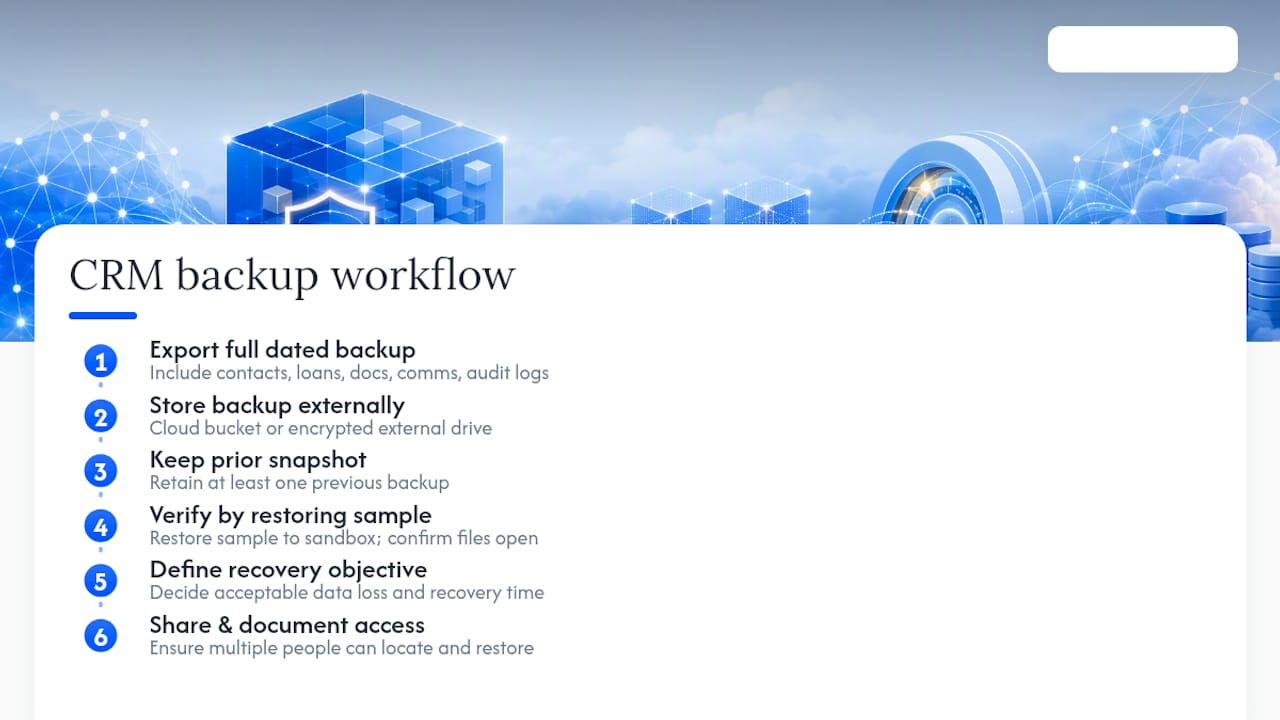
Set a recovery point objective too: decide how much data loss, if any, would be acceptable if something went wrong mid migration, and how quickly you'd need to be operational again. For most independent brokerages, the honest answer is zero data loss and same-day recovery, which means the backup needs to sit ready and tested before the first record moves, not somewhere on a to-do list for "if we have time."
Keep the backup accessible to more than one person on your team. If the person who ran the export is unreachable during a Friday afternoon crisis, someone else needs to know exactly where that file lives and how to restore it.
How Do You Manage Risk During a CRM Migration?
Risk in a mortgage CRM transition concentrates in three places: data integrity, production continuity, and compliance exposure. Managing it well means naming those risks specifically instead of treating "something might go wrong" as a single vague worry.
Start with a simple risk register. List each thing that could fail (a broken LOS sync, a missing timestamp field, a loan officer locked out during a closing week) next to its likelihood, its impact, and who owns the fix. This takes an afternoon to build and saves days of scrambling later.
Mitigate production risk by never forcing a hard cutover. Running the old and new systems in parallel, even for just two to three weeks, gives your team a live fallback if the new CRM stumbles on a real file. Small broker teams don't need an enterprise project management office to pull this off; a focused checklist and parallel running covers most of what a formal risk plan would otherwise require.
Mitigate compliance risk by treating audit-trail preservation as a launch blocker, not a nice-to-have. If a spot check reveals a timestamp mismatch on even one file, that's a go/no-go issue, not a "we'll fix it after launch" item.

Mitigate vendor risk by asking pointed questions before you sign: What happens if the migration takes longer than planned? Is there a service-level agreement covering migration support specifically, separate from general customer support? What's the rollback process if a data category imports incorrectly? Answers that are vague or reassuring without specifics are themselves a signal worth weighing.
Finally, build in a buffer. If your realistic estimate for go-live is 30 days, tell your team 35. Migrations that hit an unexpected snag with a buffer built in stay calm projects; migrations without one turn into fire drills.
How Do You Communicate a CRM Migration to Your Team and Clients?
A mortgage CRM migration touches more people than the person running the project, and each group needs a different message at a different time.
Internally, tell your loan officers and processors about the migration at least two to three weeks before anything changes, not the week it happens. Explain what's changing, why, and exactly what they need to do differently, whether that's a new login, a different workflow for logging calls, or a temporary read-only period on the old system. Vague "we're switching CRMs soon" announcements create more anxiety than a specific date and a specific ask.
Set up a single channel for migration questions, whether that's a dedicated Slack channel, a recurring office hours block, or a named point person. Scattered questions across email and hallway conversations are how small problems turn into missed deadlines.
Externally, most borrowers never need to know a CRM migration happened at all, as long as their loan keeps moving on schedule. The exception is anything that could visibly change: a new borrower portal link, a different phone number for text updates, or a brief slowdown in response time during cutover week. Flag those specifically to affected borrowers rather than sending a broad announcement that raises questions nobody was actually asking.
Referral partners and real estate agents deserve a heads-up too, particularly if any shared workflows, co-branded materials, or referral tracking links change. A short note two weeks out, confirming nothing about their experience is changing except perhaps a system name, prevents an awkward "wait, what happened to my usual contact form" conversation later.
After go-live, close the loop. Tell your team the migration is officially complete, when the old system will actually be decommissioned, and where to send any lingering issues.
What Support Do You Need After a Mortgage CRM Migration?
The first 30 days after go-live matter as much as the 30 days before it. Post-migration support is where a technically successful CRM migration either sticks or quietly falls apart as people drift back to old habits and workarounds.
Set a defined support window with your new vendor, ideally 30 to 60 days of elevated attention rather than standard-tier support. Confirm what that includes: dedicated response times, access to whoever handled your data mapping, and a clear escalation path if something surfaces that the standard help desk can't resolve.
Keep your migration champions active past go-live, not just during the cutover week. Their job now shifts to triage: catching a loan officer's confused question before it becomes a support ticket, and recognizing which issues are training gaps versus which are genuine data problems that need vendor attention.
Track a short list of health metrics for the first month: support ticket volume by category, login frequency across the team, and any report that still doesn't match pre-migration numbers. A ticket volume that stays flat or climbs after week two, rather than declining, usually means an underlying data issue rather than a training issue, and deserves a second look at the mapping document.
Schedule a formal 30-day and 90-day review with whoever owned the migration internally. Confirm the old system can actually be decommissioned, that the read-only fallback period served its purpose without ever being needed, and that any deferred items from the original mapping document have been closed out. Migrations that skip this step tend to leave a permanent tail of small unresolved issues that nobody owns.
A Practitioner's View: What Teams Usually Miss
Most brokers treat a CRM switch like a software update, something IT handles over a weekend. That mindset is exactly what causes the damage. Migration deserves its own project plan with a named owner, because the failures that hurt most, broken audit sequencing, lost automation state, and stripped document metadata, rarely show up until months later, during an audit or a compliance review. The fix isn't more caution. It's a specific habit: keep read-only access to the old system, and spot-check your oldest, messiest files first, since those are where a rushed migration always shows its cracks.
— Omar Khamisa
Get Migration Support From a Platform Built for Brokers
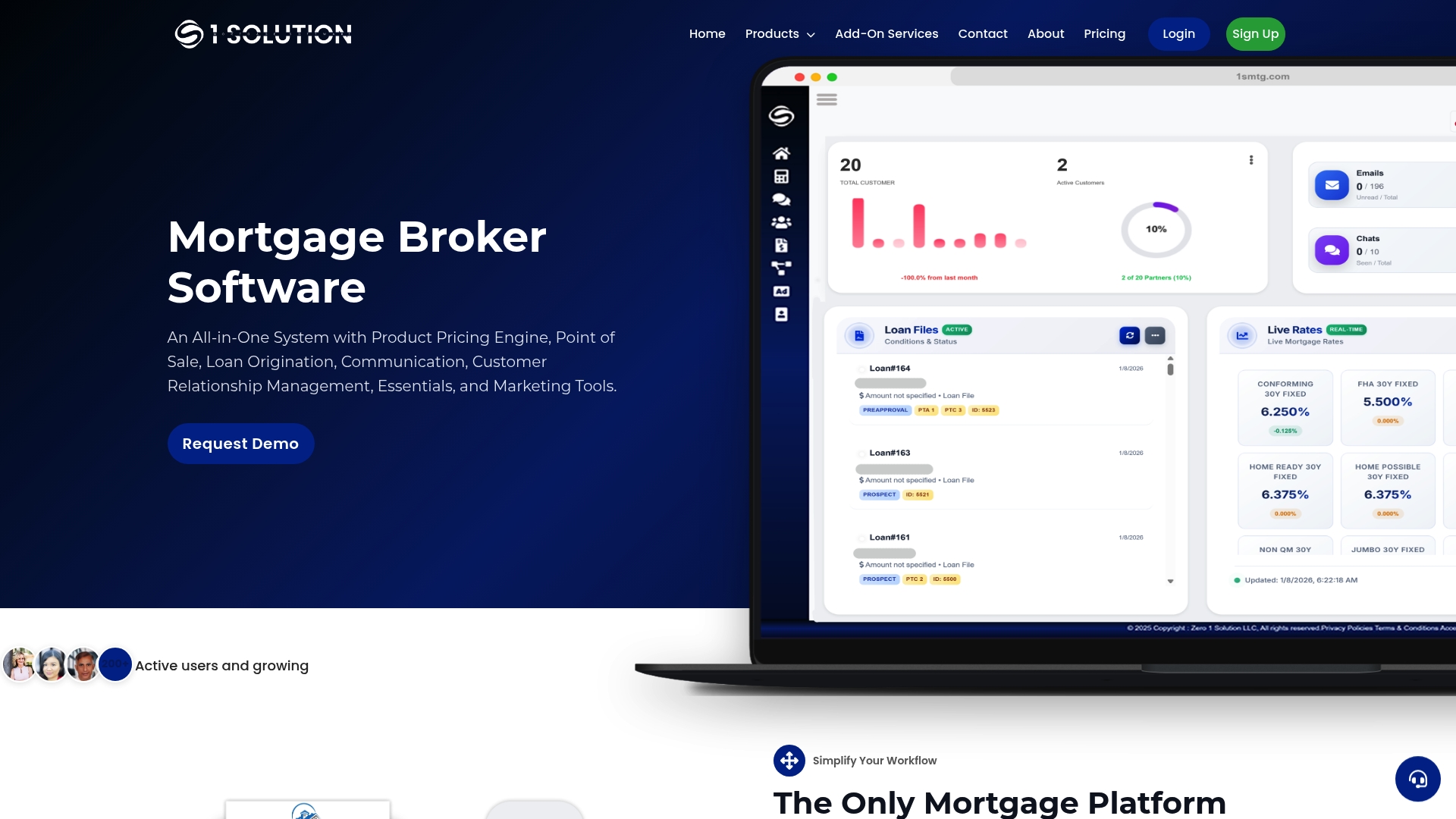
Some mortgage software platforms cut migration rework by integrating CRM, LOS, POS, and compliance tools into a single data model, avoiding the need to stitch together multiple vendors after the fact. When your pipeline, pricing, and document storage already talk to each other, your mortgage CRM migration involves one clean import instead of four separate reconciliation projects.
Before you commit to any new platform, ask for specifics: what export formats they support, how they preserve audit-trail metadata during import, and what migration SLA they'll put in writing. Vague reassurances aren't a plan. If you're weighing a switch and want a second set of eyes on your data before you schedule a cutover date, request a migration assessment or live demo and get a clear picture of what your first 30 days would actually look like.
Sources
- Salesforce AppExchange listing (mortgage integrations)
- HubSpot ecosystem listing (VantagePoint solution page)
FAQ
What Does CRM Migration Mean?
CRM migration means moving your contacts, loan records, documents, communication history, and automation setups from one CRM platform to another while preserving data integrity and audit trails.
What Is CRM in Mortgage?
In mortgage, a CRM is the system that manages borrower and referral relationships, tracks pipeline stages, and often connects to your LOS and pricing engine to support mortgage lead management from first contact through closing.
How Long Does a CRM Migration Take?
Most mortgage brokerages can complete a phased CRM migration in about 30 days, moving from data export and sandbox testing through full import, training, and go-live.
What Is the Best CRM Software for Mortgages?
The best mortgage CRM depends on your shop's size and workflow, but an integrated platform like 1 Solution Mortgage Software that combines CRM, LOS, POS, and compliance tools in one system reduces the reconciliation work a standalone CRM migration usually requires.
Should I Keep My Old CRM Active After Migrating?
Yes. Keep the old system in read-only mode for several weeks after go-live as a fallback while you confirm the new platform matches your pre-migration reports and audit trails.