
A successful LOS implementation is a staged, risk managed program, not a one time cutover. It runs on a planning horizon of about a year, aligns each phase with the FFIEC third party lifecycle, and treats vendor due diligence and data egress as non negotiable gates. Done right, you end up with stable workflows and measurable KPIs, and a contract that protects your institution instead of trapping it.
TL;DR:
- Confirm that vendor interoperability matches your existing systems and includes a clear roadmap for future integration over the next two years.
- Ensure contract terms lock in data egress rights, uptime commitments, incident response times, and change control procedures before signing.
- Build and test your data migration plan thoroughly, verifying loan counts and balances with reconciliation reports and testing data exports during UAT.
- Limit your initial implementation scope to core loan types, and allocate ample time for staff training and post-launch monitoring to ensure adoption success.
- Follow the FFIEC five-stage lifecycle for third-party risk management, including documented risk assessment and ongoing vendor monitoring beyond the initial rollout.
Table of Contents
- The step by step LOS implementation checklist
- A sample 12 month timeline and milestone checklist
- How FFIEC third party risk guidance maps to your project
- Data migration, reconciliation, and your exit plan
- Testing matrix and a training plan that sticks
- Go-live day and the first 90 days after launch
- Why this checklist comes from real implementation experience
- What I would tell any lender before their next LOS project
- Where 1 Solution fits into your implementation plan
- FAQ
- Sources
The step by step LOS implementation checklist
Most lenders underestimate how much of a successful rollout happens before anyone touches configuration screens. The checklist below follows the order that keeps projects on budget and out of trouble with examiners.
- Define objectives and scope. Write down what the system must do, who owns the decision, and how you will measure success: cycle time, pull through rate, and underwriter capacity are common targets.
- Secure executive sponsorship. A project without a named executive sponsor loses momentum the first time a department disagrees on requirements.
- Run vendor due diligence. Review security posture, SOC reports, software development lifecycle documentation, and client references before any contract talk starts.
- Check interoperability and roadmap fit. Confirm the vendor's integration list matches your existing pricing engine, document provider, and compliance tools, and ask where the product is headed over the next two years.
- Negotiate contract terms. Lock in uptime commitments, incident response windows, change control procedures, and termination provisions, including data egress in open formats such as JSON or CSV.
- Build the data dictionary. Map every field your current system produces to its equivalent in the new platform, and flag anything with no clean match.
- Configure workflows and business rules. Align statuses, conditions, and disclosures with MISMO data standards so investor delivery and compliance checks run cleanly.
- Migrate and reconcile data. Load test batches, reconcile loan counts and balances against the legacy system, and define a rollback point before touching production data.
- Test everything that touches money or disclosures. Unit, integration, user acceptance, performance, and penetration testing each catch different failure modes.
- Train by role, not by department. Processors, underwriters, and loan officers need different workflows and different proficiency checks.
- Launch with a minimum viable scope. Cover your core loan types first and hold advanced automations for a later release once the system is stable.
- Monitor and improve after go-live. Track KPIs weekly for the first quarter and keep a backlog of fixes and enhancements fed by real user feedback.
Vendor selection deserves extra weight here. A platform that looks capable in a demo can still fail on interoperability once it meets your actual pricing engine or document provider, which is why reference calls and a documented vendor management process matter more than feature lists.
Pro Tip: Build your data dictionary before you sign anything. Knowing exactly which fields will not map cleanly changes how you negotiate migration support in the contract.
A sample 12 month timeline and milestone checklist
A planning cycle of about a year before go-live is the baseline most lenders use to fit in due diligence, build work, and adoption without rushing decisions, a practice consistent with the pacing FFIEC guidance expects for technology changes of this size.
- Months 1 to 2: finalize requirements, assemble the project team, and issue RFPs.
- Months 3 to 4: complete due diligence, select a vendor, and negotiate the contract.
- Months 5 to 7: build the data dictionary, configure workflows, and start integration work in parallel with training material development.
- Months 8 to 9: migrate test data, run reconciliation, and begin UAT with a pilot group.
- Month 10: finish UAT, lock the go-live scope, and train super users.
- Month 11: roll out broader training and run a final dress rehearsal.
- Month 12: go live with the MVP scope, then stabilize for 90 days.
Lenders compressing this timeline should expect to trade speed for risk: fewer pilot cycles, a smaller MVP, and heavier reliance on the vendor's implementation team to cover gaps your own staff would otherwise catch.
How FFIEC third party risk guidance maps to your project
Interagency guidance frames third party technology work as a five stage lifecycle, and mapping your project gates to it keeps examiners satisfied and keeps your own team from skipping steps that matter later.
- Planning maps to your scope and objectives phase, documented before any vendor outreach.
- Due diligence and selection maps to your vendor review, including SOC reports and reference checks.
- Contract negotiation maps to the SLA, egress, and termination terms you lock in before signing.
- Ongoing monitoring maps to your post launch governance cadence and vendor scorecards.
- Termination maps to the exit plan you should write before you ever need it.
A documented risk assessment with board approved risk acceptance for any residual risk is a core expectation under FFIEC development guidance, and examiners weigh that paperwork more heavily than a vendor's assurances. Keep penetration test summaries, SDLC review notes, and change management evidence on file, since patch timelines and vulnerability remediation records are exactly what an exam will ask to see.
Data migration, reconciliation, and your exit plan
Vendor lock-in usually traces back to one missed step: nobody tested the exit before signing the contract. Termination planning and data egress rights belong in the contract itself, specifying machine readable formats like JSON or CSV, not a verbal promise.
- Build a canonical data model and map every legacy field to it before migration begins.
- Run test loads and reconciliation reports to confirm loan counts and balances match.
- Set a clear rollback threshold: if reconciliation fails past a defined point, you revert.
- Request a sample data export during UAT and verify the schema is actually usable.
Pro Tip: Test your data egress during UAT, not after you have already decided to leave the vendor. By then it is too late to negotiate better terms.
Testing matrix and a training plan that sticks
A testing program and a training program are really one project: a system nobody trusts because it was undertested will not get adopted no matter how good the curriculum is.
- Unit testing checks individual rules and calculations against expected outputs, owned by the configuration team.
- Integration testing confirms data flows correctly between the LOS, pricing engine, and document provider.
- User acceptance testing has real processors and underwriters run real loan scenarios end to end.
- Performance testing confirms the system holds up under your peak volume, not just average volume.
- Security testing, including a penetration test review, catches what functional testing misses.
Pair that with role based training, a small group of super users who answer day to day questions, and documented runbooks for common tasks. Track success with ticket volume, loan completion time, and error rates rather than attendance at training sessions.
Go-live day and the first 90 days after launch
Go-live succeeds or fails on the quality of the runbook, not the quality of the software. Write out the cutover sequence, staff a support rota for the first week, and set clear rollback triggers before the day arrives.
- Define who triages incidents and how escalation works in the first 72 hours.
- Communicate the go-live plan to loan officers, underwriters, and servicing staff in advance.
- Build an executive dashboard tracking cycle time, error rate, and ticket volume daily for the first month.
- Hold weekly vendor calls through the stabilization window to clear the issue backlog.
- Shift to monthly vendor scorecards once volumes and metrics stabilize.
Adoption tends to lag the technical rollout by weeks, which is why structured rollout support during this window matters as much as the cutover itself.
Why this checklist comes from real implementation experience
This checklist draws on more than 20 years of hands on mortgage operations work from an industry veteran who has worked as a processor, underwriter, loan originator, and systems consultant. The emphasis on a tight MVP scope and tested data egress comes directly from watching those steps get skipped, and the cost that follows.

What I would tell any lender before their next LOS project
Keep your go-live scope smaller than you think you need. Test your data export rights during UAT, not after you have signed a renewal. And budget as much time for adoption as you do for configuration, because a system your team avoids using was never really implemented at all. The projects that stall are rarely the ones with bad software: they are the ones where nobody tested the exit, or nobody trained the people who had to live in the system every day.
— Omar Khamisa
Where 1 Solution fits into your implementation plan
If your checklist includes integrated LOS, CRM, point of sale, and compliance tools under one roof, there are platforms built around exactly that need, designed for independent brokers rather than retrofitted from a bank platform.
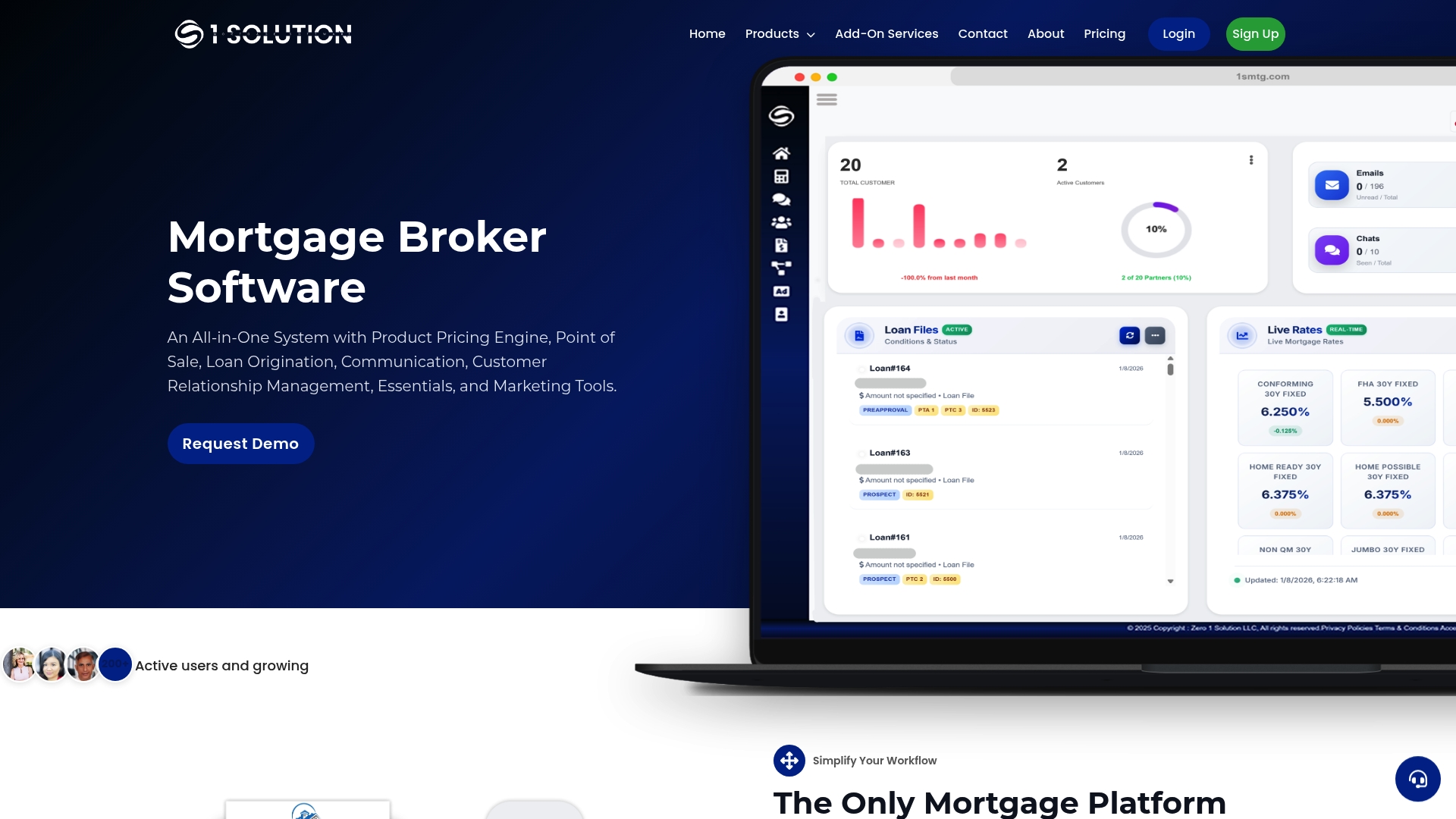
- Pricing, CRM, borrower POS, compliance, and LOS functions can run on one connected platform instead of stitched together tools.
- Onboarding may include setup support to help with configuration and mapping.
- Data control typically stays with your brokerage, especially when the platform operates independently without outside investors shaping the roadmap.
Subscription pricing is available on request, and add-on services like a Mortgage Website, SMTP Domain, and PBX Solutions can potentially be scoped alongside it. If your current LOS implementation plan needs a platform built specifically for brokers, 1smtg to request a walkthrough and see how the pieces fit together.
This article is general information, not a substitute for advice from a qualified financial advisor. Consult a qualified financial professional about your own circumstances before acting on anything here.
FAQ
What is an implementation checklist?
An implementation checklist is a structured list of tasks, approvals, and tests a team follows to deploy a new system safely, covering everything from planning and vendor due diligence through testing, training, and post launch monitoring. For an LOS, it keeps regulatory, data, and operational risks from slipping through during a complex rollout.
What are the six items that trigger a loan application?
Under federal lending rules, an application is generally considered received once a borrower provides six pieces of information: their name, income, Social Security number, property address, estimated property value, and the loan amount sought. Collecting all six typically starts required disclosure timelines, so your LOS configuration should flag this moment clearly in the workflow.
What is LOS in project management?
In the mortgage industry, LOS stands for loan origination system, the software platform that manages a loan from application through closing. In a project management context, implementing an LOS means running a structured program covering vendor selection, configuration, data migration, testing, and rollout, not simply installing a new tool.
What do lenders look at when approving a loan?
Lenders typically evaluate a borrower's credit history, income and employment stability, debt to income ratio, the property's appraised value, and available assets or down payment. An LOS should be configured to capture and verify each of these factors consistently across every loan file.
Sources
- Interagency Guidance on Third-Party Relationships (appendix J)
- FFIEC IT Examination Handbook — Development, Acquisition, and Maintenance (Risk management)