
Setting up mortgage business software is the process of selecting, configuring, and integrating tools that automate and manage mortgage operations to improve business efficiency and client experience. The industry term for this process is mortgage technology implementation, though brokers and entrepreneurs commonly call it mortgage software setup or platform onboarding. Done right, it cuts manual work, reduces compliance risk, and gives borrowers a faster, cleaner experience. Done wrong, it costs you months of rework and money spent on features nobody uses. This guide covers the essential components, planning steps, integration process, and pitfalls to avoid so your setup works from day one.
What are the essential software components for a mortgage business setup?
A mortgage tech stack has six core components. Each one handles a distinct part of the loan lifecycle, and they must connect to each other to deliver real efficiency.
- CRM (Customer Relationship Management): Tracks leads, borrower communication, and pipeline status. Without a CRM, loan officers lose deals in email threads and spreadsheets.
- LOS (Loan Origination System): Manages the loan file from application through closing. This is the operational core of any mortgage business.
- POS (Point of Sale): The borrower-facing portal where clients submit applications and upload documents. A good POS reduces back-and-forth by 60–70% on document collection.
- Document management and eSigning: Stores, organizes, and executes loan documents securely. Tools in this category must meet MISMO and IRS standards for electronic signatures.
- Workflow automation: Triggers task reminders, status updates, and document requests automatically based on loan stage changes.
- Compliance and reporting tools: Tracks RESPA, TILA, HMDA, and state-specific disclosure requirements. Compliance gaps are the fastest way to lose your license.
Pricing varies sharply by platform tier. Enterprise LOS platforms like Encompass cost $1,500–$2,500 or more per month. Mid-market options like BytePro run $800–$1,500 monthly. POS systems like Floify typically charge $75–$150 per seat per month. That pricing spread reflects the difference in feature depth, not necessarily fit for your business.
| Component | Core function | Typical monthly cost |
|---|---|---|
| LOS (enterprise) | Full loan file management | $1,500–$2,500+ |
| LOS (mid-market) | Core origination workflow | $800–$1,500 |
| POS system | Borrower application portal | $75–$150 per seat |
| CRM | Lead and pipeline tracking | $50–$300 |
| eSigning and docs | Document execution and storage | $25–$100 |
| Workflow automation | Task triggers and notifications | Included or $50–$200 |
Pro Tip: New brokers should resist the urge to buy enterprise-grade software on day one. A mid-market LOS paired with a solid CRM and a POS covers 90% of what a startup brokerage actually needs.
How to plan before implementing mortgage software
Planning is where most mortgage software setups succeed or fail. Brokers who skip this phase end up forcing their business processes to conform to rigid software rather than the other way around.

The first step is mapping your existing manual workflow from lead intake to loan closing. Document every manual step before you touch a software configuration screen. This prevents you from digitizing a broken process and calling it progress. Write out who does what, when, and what information passes between each step.
The second step is documenting your compliance requirements. Mortgage businesses must align with GLBA data privacy rules, CFPB fair lending standards, and state-specific licensing requirements. Tech due diligence aligned with GLBA and CFPB requirements is not optional for startups seeking lender relationships or investor backing. Quarterly access reviews and compliance documentation protect you during audits.
A phased implementation plan keeps the setup manageable:
- Phase 1 (weeks 1–4): Clean data setup. Import existing contacts, configure custom fields, and define pipeline stages in your CRM.
- Phase 2 (weeks 5–8): Workflow automation. Build task triggers, document request sequences, and status change notifications.
- Phase 3 (weeks 9–12): Integration. Connect your POS to your LOS and test data flow between systems.
- Phase 4 (weeks 13–16): Adoption. Train your team, gather feedback, and iterate on configurations.
Check your mortgage startup requirements before finalizing your software choices. Licensing obligations in your state may dictate which LOS platforms your lender partners will accept.
Pro Tip: Choose software with open API access from the start. Closed systems lock you into a single vendor and make future integrations expensive and slow.
Step-by-step process for setting up and integrating your mortgage software
Execution is where the planning pays off. The steps below reflect a realistic implementation sequence for a small to mid-size mortgage brokerage.
Step 1: Import and clean your data. Pull your existing borrower and lead records from spreadsheets or your old CRM. Remove duplicates, standardize name and address formats, and map each record to the correct pipeline stage. Dirty data imported into a new system creates confusion immediately.
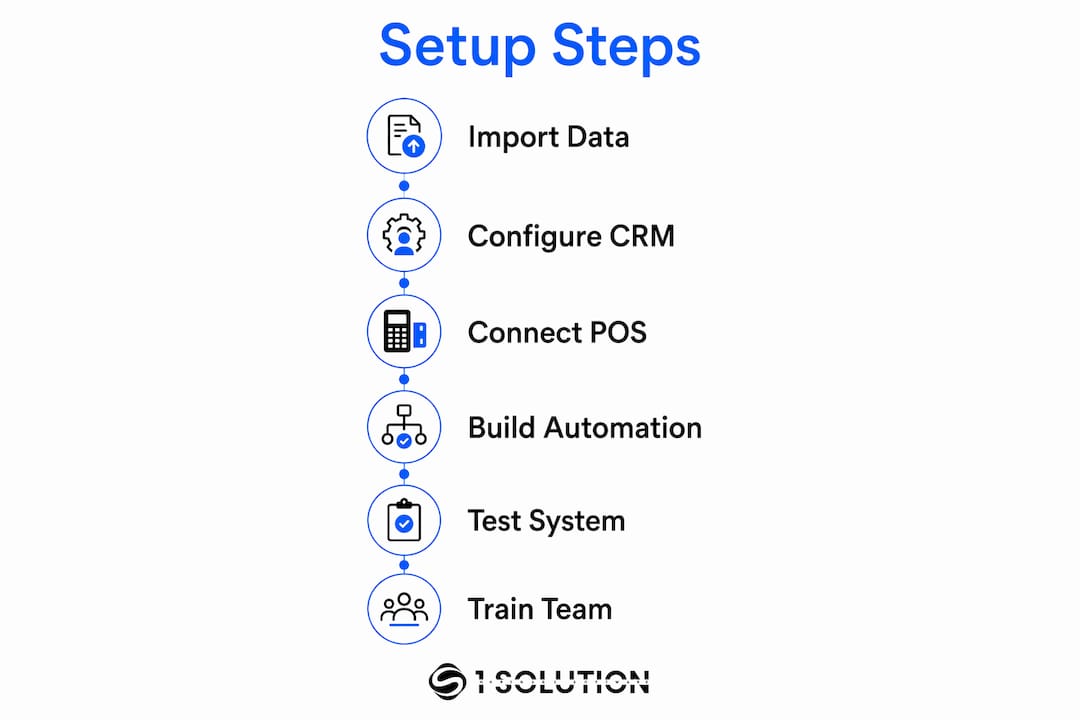
Step 2: Configure your CRM pipeline. Build pipeline stages that mirror your actual loan workflow: lead, pre-qualification, application submitted, processing, underwriting, conditional approval, clear to close, funded. Each stage should trigger at least one automated task or notification.
Step 3: Connect your POS to your LOS. This is the most technically demanding step. Event-driven automation via webhooks linking POS to LOS can shrink loan application to pre-approval time from 4 days to 4 hours. That is not a minor efficiency gain. It changes the borrower experience entirely. Most modern POS platforms like Floify support webhook-based triggers natively. Your LOS vendor should provide API documentation for the receiving end.
Step 4: Build your automation sequences. Set up task reminders for processors at each stage change. Automate document request emails when a borrower reaches the application stage. Trigger internal alerts when a file sits in one stage for more than 48 hours without activity. These automations replace the mental overhead of manually tracking every file. For a deeper look at what automation tools are available, the mortgage automation tools guide covers the current options in detail.
Step 5: Test before going live. Run three to five test loans through the full system before processing real borrower files. Check that data passes correctly from POS to LOS, that documents land in the right folders, and that automated emails fire at the right triggers.
Step 6: Train your team and iterate. Loan officer software training is a distinct discipline from software configuration. Plan at least two weeks of structured training before full adoption. Gather feedback after the first month and adjust workflow automations based on what your team actually encounters.
The full integration timeline for a complete mortgage tech ecosystem typically runs 12–16 weeks. That timeline assumes clean data, a cooperative vendor, and a team that engages with training.
| Week range | Phase | Key deliverable |
|---|---|---|
| 1–4 | Data setup | Clean CRM with configured pipeline |
| 5–8 | Automation build | Task triggers and document sequences live |
| 9–12 | Integration | POS connected to LOS via API or webhook |
| 13–16 | Adoption | Team trained, feedback collected, configs refined |
Common pitfalls and how to avoid them in mortgage software setup
The most common mistake new brokers make is buying complex software with features they will never use. An enterprise LOS built for a 200-person direct lender is the wrong tool for a five-person brokerage. Match your software to your actual workflow, not to your aspirational workflow.
A second critical error is failing to establish a single source of truth for borrower data. When your POS and LOS hold different versions of the same borrower record, your team wastes time reconciling data instead of closing loans. An API-based integration spine prevents fragmented profiles and makes future system additions far less painful.
Security habits separate professional mortgage businesses from vulnerable ones. Disaster recovery drills every 90 days and system access revocation within 24 hours of staff offboarding are the baseline. These are not optional practices. Lenders and investors check for them during due diligence.
Client onboarding is another area where brokers underinvest. Treating client onboarding as a communication process rather than a one-time technical step produces measurably better borrower satisfaction. A Welcome Pack that outlines the loan roadmap, required documents, and next steps sets expectations clearly and reduces inbound calls from confused borrowers.
"The brokers who build lasting businesses treat their software setup as a foundation, not a finish line. They configure it carefully, train their teams thoroughly, and revisit it every quarter."
Finally, vet your vendors for long-term viability. Choose platforms with open APIs, documented integration support, and a clear compliance roadmap. Vendor lock-in is a real risk in mortgage technology. A platform that cannot connect to your lender's systems or your state's reporting requirements becomes a liability, not an asset. Review your mortgage compliance management obligations before signing any software contract.
Key Takeaways
Setting up mortgage business software requires a phased approach that starts with workflow mapping, prioritizes integration between CRM, LOS, and POS systems, and treats compliance readiness as a non-negotiable foundation.
| Point | Details |
|---|---|
| Map workflows first | Document every manual step from lead to close before configuring any software. |
| Match software to your size | Mid-market LOS and a solid POS cover most startup brokerage needs without enterprise costs. |
| Connect systems via API | An API integration spine prevents fragmented borrower data and supports future growth. |
| Plan for 12–16 weeks | Full integration and team adoption realistically takes three to four months. |
| Compliance is non-negotiable | Align with GLBA and CFPB requirements early and run security drills every 90 days. |
What I've learned about mortgage software setup after 20 years in the trenches
Most brokers approach software setup as a technology problem. It is not. It is a business process problem that technology solves only when you understand your process first.
I spent years working as a processor, underwriter, loan originator, and systems consultant before building 1 Solution Mortgage Software. Every role showed me the same pattern: brokers bought software to fix a problem they had not fully defined. They ended up with expensive platforms full of unused features and workflows that did not match how their team actually operated.
The brokers I have seen succeed share one habit. They resist the pull toward feature-loaded platforms and instead build a minimal, connected stack that mirrors their real workflow. They add complexity only when volume demands it. That discipline is harder than it sounds when vendors are pitching you on everything their platform can do.
Compliance readiness is the other area where I have seen startups underestimate the stakes. Lenders and investors do not just check your license. They check your data security practices, your access controls, and your disaster recovery plan. A broker who cannot demonstrate those practices loses lender relationships before they even get started.
The goal of a well-configured mortgage tech stack is not efficiency for its own sake. It is a better experience for your borrowers and a more defensible business for you. Software that works quietly in the background, keeps data clean, and keeps your team focused on relationships is worth far more than a platform with a hundred features and a steep learning curve.
— Omar Khamisa
How 1 Solution Mortgage Software supports your setup from day one
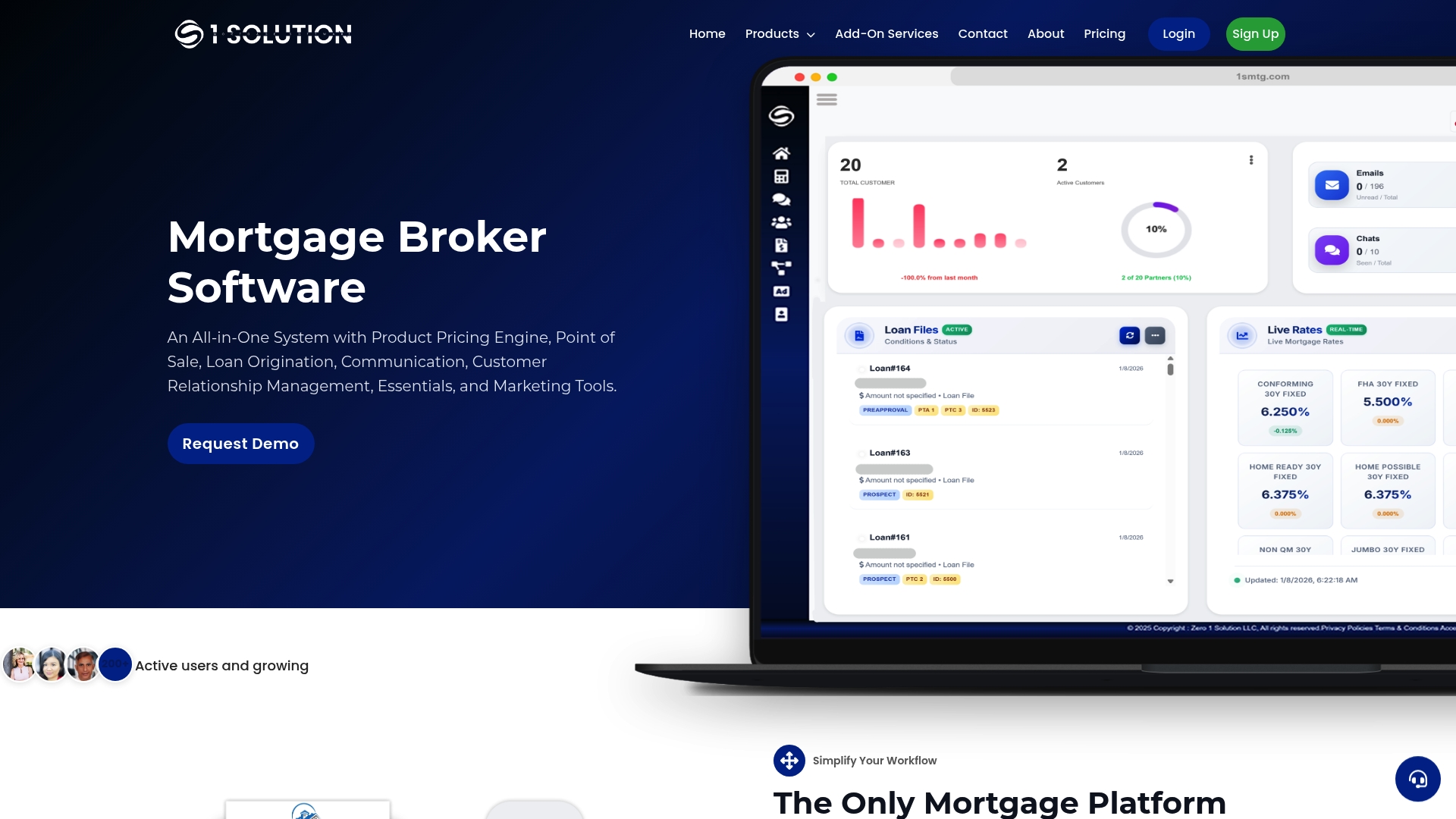
1 Solution Mortgage Software was built by mortgage professionals who lived through the fragmented, expensive, and overcomplicated tech stacks that most brokers deal with. The platform brings CRM, POS, LOS-lite, document management, compliance tools, and marketing into one connected system designed specifically for independent brokers. There is no enterprise bloat and no features you will never touch. Onboarding is structured so your team can configure pipelines, import data, and start processing files without a six-month implementation project. If you are ready to build a mortgage tech stack that actually fits your business, visit 1 Solution Mortgage Software and see what a broker-first platform looks like in practice.
FAQ
What is mortgage business software onboarding?
Mortgage business software onboarding is the process of configuring, integrating, and training your team on the tools that manage your loan pipeline. It covers CRM setup, LOS configuration, POS connection, and workflow automation.
How long does mortgage software setup take?
Full mortgage software integration typically takes 12–16 weeks from initial data import to full team adoption. Simpler setups with fewer integrations can be completed in 6–8 weeks.
What software does a new mortgage brokerage need?
A new brokerage needs at minimum a CRM, a loan origination system or LOS-lite, and a borrower-facing POS portal. Document management and eSigning tools round out the core mortgage business startup checklist.
How do I connect my POS to my LOS?
Most modern POS platforms connect to an LOS via webhooks or API calls. When a borrower submits an application in the POS, the webhook fires and creates or updates the corresponding loan file in the LOS automatically.
What compliance requirements affect mortgage software setup?
Mortgage software must support GLBA data privacy standards, CFPB fair lending requirements, RESPA disclosures, and state-specific licensing rules. Security practices including quarterly access reviews and 90-day disaster recovery drills are also expected by lenders and investors.