
Single sign-on (SSO) lets your loan officers, processors and assistants log in once with one set of work credentials and open every approved mortgage tool without signing in again. For a brokerage, the practical question is not only whether a product supports SSO. It is how many separate systems you have to put behind it. A smaller, connected stack means fewer logins to secure, fewer accounts to close when someone leaves, and a simpler setup from day one. This guide explains how SSO works, which standards matter, what federal rules say about access control, and how to check any setup before you commit.
TL;DR
- SSO centralizes sign-in through one identity provider, using standards called SAML or OpenID Connect (OIDC), so staff use one credential set across approved apps.
- Mortgage brokers and lenders fall under the FTC Safeguards Rule, which requires access controls and multi-factor authentication (MFA) for anyone accessing information systems, unless the Qualified Individual approves an equivalent control in writing.
- SSO does not remove risk. It moves trust to the identity provider, so that one account and its settings deserve the strongest protection you have.
- The fewer disconnected tools you run (CRM, LOS, POS, e-signature, messaging), the less there is to integrate, monitor and offboard.
Table of Contents
- What SSO means in a mortgage office
- How SSO works, step by step
- SAML or OIDC: what you will be asked to choose
- Which mortgage systems can sit behind SSO
- Why regulators care about who can log in
- How strong should the login be
- Onboarding and offboarding: where SSO pays off
- Where the risk moves
- A practical checklist before you roll out SSO
- Fewer systems, fewer things to secure
- Our perspective
- FAQ
- Sources
What SSO means in a mortgage office
A typical independent brokerage runs a CRM for leads, a loan origination system (LOS) for files, a point-of-sale (POS) portal for borrowers, an e-signature tool, a pricing engine and a messaging platform. Each one has its own username and password. Staff reuse passwords, write them down, or share a login to save time. When a loan officer leaves, someone has to remember every system that person touched.
SSO replaces that pile of credentials with one. The federal Enterprise Single Sign-On Playbook (version 1.3, March 18, 2026) describes SSO as a technology pattern that centralizes authentication among multiple applications. Users sign in with one set of credentials and can open every app assigned to them without signing in again.
Three terms come up in every SSO conversation:
- Identity provider (IdP): the system that checks who the user is. Common examples are a company's Microsoft Entra ID or Google Workspace account.
- Relying party or service provider: the application that trusts the IdP's answer. In your office, that is each mortgage tool.
- Assertion: the signed message the IdP sends to say "this person is verified."
How SSO works, step by step
The sequence is the same in nearly every implementation. NIST Special Publication 800-63-4 describes it for federated authentication:
- A user opens a mortgage application, which asks the user to authenticate and requests attributes from the IdP.
- The user proves control of their authenticators (a password plus a second factor, for example) to the IdP.
- The IdP sends a signed assertion and attributes to the application through a federation protocol.
- The application verifies the assertion, trusts the identity, and opens an authenticated session.
Microsoft's documentation of the SAML sign-on flow shows the same pattern: the cloud service sends an authentication request to the identity provider, which authenticates the user and posts a response back to the service. The Cloud Security Alliance adds that the token is cryptographically signed and carries identity, roles and attributes, so the application can grant access without asking for credentials again.
The roles and attributes matter in a mortgage office. A processor should see different screens than a branch owner, and the assertion is one way to carry that information.
SAML or OIDC: what you will be asked to choose
The two main protocols are SAML, an XML-based open standard for exchanging identity assertions, and OpenID Connect, a JSON-based identity layer built on OAuth 2.0. The federal playbook advises choosing the more modern protocol (OIDC) when the application supports it, while noting that legacy applications may work only with SAML, so supporting both protects continuity.
Microsoft Learn describes where each fits:
| Option | Best suited to | Note for a mortgage office |
|---|---|---|
| SAML 2.0 | Traditional web apps, detailed user attributes, broad enterprise compatibility | Common in older, established enterprise systems |
| OpenID Connect | Modern web apps, mobile apps and APIs | Usually simpler for vendors to build with |
| Password-based SSO | Apps that only accept a username and password | The IdP stores and replays credentials for the user |
You do not need to configure these yourself to evaluate software. You need to know which one each of your tools supports, so you can tell your IT contact or consultant what to set up.
Which mortgage systems can sit behind SSO
Any web application that can act as a relying party can connect to an IdP. The federal playbook notes that SSO can extend beyond cloud apps to on-premises web apps, mobile apps, workstations, VPNs and virtual desktops. For a broker, the list that matters usually looks like this:
- CRM and lead tracking: the place where borrower contact data and referral partner data live.
- LOS: the system of record for loan files, with the most sensitive personal and financial data.
- Borrower POS portal: where applicants upload documents and complete applications. Borrower accounts are a different problem from staff accounts, so SSO here normally covers your team, not your customers.
- E-signature and document storage: places where signed disclosures and income documents sit.
- Messaging and phone tools: email, text, chat and voice that carry borrower information.
- Pricing engine and lender portals: where staff run scenarios and submit to wholesale partners.
The more of these are separate products from separate vendors, the more SSO connections you build, test and maintain. Cloud Security Alliance guidance warns that federation configuration is complex and that differing standards, versions and vendor quirks cause compatibility problems, especially with legacy systems. Each extra vendor multiplies that work.
Why regulators care about who can log in
SSO is not a legal requirement by name. Access control and authentication are. The FTC's Safeguards Rule under the Gramm-Leach-Bliley Act, 16 CFR Part 314, applies to mortgage lenders and mortgage brokers. Among other things, it requires you to:
- Put access controls in place that authenticate users and permit access only to authorized people.
- Limit each person's access to the customer information they need for their duties.
- Encrypt customer information in transit and at rest.
- Use multi-factor authentication for anyone accessing any information system, unless your Qualified Individual approves an equivalent control in writing.
- Keep a written risk assessment, evaluate externally developed applications, and monitor and log authorized-user activity to detect unauthorized access.
A central login helps with several of these at once. MFA is enforced in one place instead of tool by tool. Access is granted by role. Activity at the IdP leaves a single trail you can review. Your Qualified Individual, the person your firm designates to run its security program, should sign off on the design.
If you want the broader picture of what to ask a software vendor about protection, our guide to mortgage software security proofs walks through it, and the piece on cloud controls lenders must verify covers hosting and data handling.
How strong should the login be
NIST's SP 800-63B defines authentication assurance levels. At level AAL2, a user needs two distinct factors with approved cryptography, at least one replay-resistant authenticator, and at least one phishing-resistant option. Reauthentication should happen at least every 24 hours, with an inactivity timeout of no more than one hour. AAL3 is stricter: a cryptographic authenticator with a non-exportable private key, a 12-hour overall limit and a 15-minute inactivity limit.
These levels are written for federal agencies, and the playbook describes its recommendations as best practices, not mandated policy. They are still a useful yardstick for a brokerage choosing how hard to make staff sign in. A loan officer working from a coffee shop on a laptop is a good reason to lean toward the stronger end.

Onboarding and offboarding: where SSO pays off
The day-to-day gain is lifecycle control. The Cloud Security Alliance says role-based access works best when onboarding, role changes and offboarding are fully automated, and that separation of duties keeps any one user from completing a sensitive transaction alone.
In a brokerage, that translates into three routines:
- New hire: create one identity, assign a role, and the person reaches the tools their job needs.
- Role change: a processor who becomes a loan originator gets new permissions in one place.
- Departure: disable the one identity, and access to connected tools ends together. A loan officer who leaves on a Friday should not still be able to open a borrower file on Monday.
Permissions inside each application still matter, because SSO proves who someone is, not what they should see. Our walkthrough of mortgage software user permissions shows how to set roles for processors, loan officers and managers, and the guide on how loan officers get trained on software helps new staff get productive on the right access from the start.
Where the risk moves
SSO reduces password sprawl, but it also concentrates trust. The Cloud Security Alliance notes that a compromised IdP puts every federated service at risk. NHIMG makes a similar point and recommends treating the IdP's configuration, client registrations and token validation as one control surface, not separate admin tasks.
The Cloud Security Alliance also describes the Shared Signals Framework's Continuous Access Evaluation Profile, which lets an IdP tell connected applications right away about events such as an account compromise, password reset or device risk. Traditional federation checks identity only at login, so this closes a gap for long working sessions.
Put plainly: the one account that controls your SSO should be the best protected account in your company.
A practical checklist before you roll out SSO
Use this list with your IT contact and your Qualified Individual. It draws on the NHIMG and Cloud Security Alliance guidance above.
- Inventory every app. List each mortgage tool, which protocol it supports (SAML, OIDC or neither), and how an account is removed from it.
- Harden the identity provider. Require strong MFA, and separate administrator duties so no single admin can change everything unnoticed.
- Standardize settings. For OIDC, keep client IDs, secrets, redirect handling and token lifetimes consistent across apps.
- Map roles to permissions. Decide what a loan officer, processor, assistant and owner can see before you connect anything.
- Test offboarding. Disable a test user and confirm every connected app locks them out.
- Document it. Record the design in your written risk assessment so it matches what the Safeguards Rule expects you to evaluate and monitor.
- Plan for legacy tools. If one system supports only an older standard, decide whether to keep it, replace it, or place it behind password-based SSO.
Step 1 is where most offices find the real problem. Seven tools from seven vendors means seven integrations and seven offboarding paths. That is the case for consolidating before you federate.
Fewer systems, fewer things to secure
We built 1 Solution for independent brokers who were tired of stitching tools together. Our platform brings pricing, CRM, communication, POS, LOS, compliance, marketing and operational tools into one connected ecosystem, with e-signature, document storage, a borrower portal and an employee dashboard included. For a brokerage planning its access controls, that means a short inventory: fewer separate products to list, review and close out when a team member moves on.
If you are replacing several subscriptions at once, or comparing alternatives to your current LOS or CRM, see how the platform fits your team at 1smtg.com.
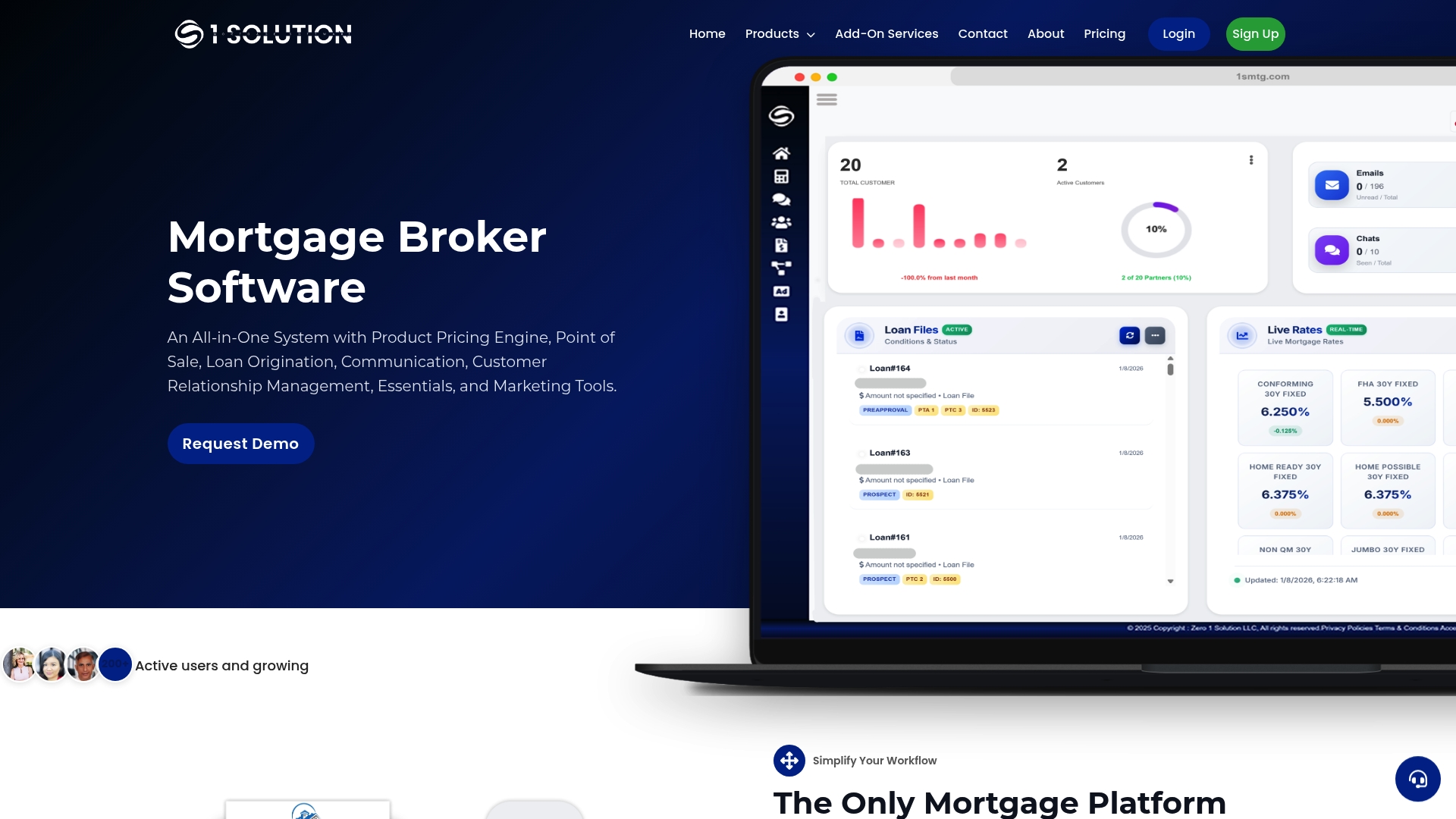
Our subscription is built for independent mortgage brokers, brokerages and mortgage companies. Onboarding is personalized and support comes from people who know the business. If you want to see how your team's roles and workflows would sit on one platform, start from the 1 Solution home page.
Our perspective
I have spent more than 20 years as a processor, underwriter, loan originator and systems consultant. The same story repeats in broker offices: a CRM here, a pricing tool there, a portal from one vendor, e-signature from another, and a login for every one of them. Then someone leaves and nobody can say with confidence which accounts are still open.
SSO is a good answer to that problem, and every broker should understand it. But the first question is how many systems you are asking it to cover. Most mortgage technology was built for banks and direct lenders, then sold to brokers as an afterthought. Brokers ended up carrying the integration burden and the cost.
We built 1 Solution the other way around. It is self-funded and independent, designed for brokers, and it brings the pieces of a mortgage operation into one connected platform. When your CRM, LOS, POS, communication and compliance tools live together, you control who gets in, what they can do and when that access ends, without managing a dozen vendor relationships to do it.
Control is the point. Whatever login design you choose, make sure it is yours to run.
Omar Khamisa
FAQ
Is single sign-on required for mortgage companies?
No rule names SSO as a requirement. The FTC Safeguards Rule does require access controls and multi-factor authentication for anyone accessing information systems, unless your Qualified Individual approves an equivalent control in writing. SSO is one common way to apply those controls consistently across tools.
Does SSO replace multi-factor authentication?
No. SSO decides how many times a user signs in, and MFA decides how strongly they prove who they are. They work best together: one sign-in at the identity provider, protected by MFA, opens each approved application. NIST's AAL2 level asks for two factors with at least one phishing-resistant option.
Should borrowers use SSO to access the portal?
SSO is mainly for your staff, who use many internal tools under one employer identity. Borrowers log in to your portal as individual customers, and their accounts are handled separately from your team's access. Your team's SSO design should protect the staff side of the portal.
What is the difference between SAML and OIDC?
SAML is an older XML-based standard with broad enterprise support. OIDC is a newer JSON-based layer on OAuth 2.0, usually simpler for modern web and mobile apps. Federal guidance suggests choosing OIDC when an application supports it and keeping SAML for legacy systems.
What happens to access when an employee leaves?
With SSO, you disable one identity at the identity provider and the connected apps stop accepting it. Confirm this by testing offboarding for each tool before you rely on it, and review permissions inside each application as well.
Sources
- Enterprise Single Sign-On Playbook, IDManagement.gov
- NIST SP 800-63-4, Digital Identity Guidelines
- NIST SP 800-63B, Authentication and Authenticator Management
- 16 CFR Part 314, Standards for Safeguarding Customer Information (eCFR)
- What is single sign-on in Microsoft Entra ID? (Microsoft Learn)
- Single sign-on SAML protocol (Microsoft Learn)
- Identity and Access Management (IAM) Standards, Cloud Security Alliance
- Single sign-on reduces password sprawl, but trust shifts to the IdP (NHIMG)