
Effective CRM tagging for mortgage brokers must do four things at once: capture consent artifacts at the moment a lead arrives, normalize fields like licensing state and lead source instead of leaving them as free text, propagate suppression and opt-out status across every channel automatically, and preserve audit evidence for at least 24 months. In vendor demos, ask to see a tag applied, routed, and suppressed in real time. Our software was built by brokers to meet exactly this standard.
TL;DR:
- Keep campaign copy, call scripts, and consent evidence, including timestamps and opt in language, attached to searchable lead records for the required 24 months.
- Use enforced dropdowns for licensing state, license ID, lead source, and consent status; free text can break routing and make regulatory records unreliable.
- A text opt out must update one suppression record that blocks email, phone, and direct mail outreach too, rather than stopping texts alone.
- Compare vendor lead file headers monthly and map fields by name, because silent changes can swap consent timestamps with campaign identifiers.
- During vendor demos, test a live lead from intake through routing and suppression, then delete an attached tag to verify reassignment does not erase history.
Table of Contents
- Why tagging matters in mortgage CRMs: business ROI and regulatory risk
- Feature checklist: exact tagging and data-model capabilities to require in CRM demos
- Practitioner best practices for tagging: actionable rules from real mortgage operations
- Compliance and recordkeeping: how 12 CFR § 1014.5 and outreach rules map to CRM behavior
- Implementation checklist and workflow: configure, test, and govern tagging operationally
- Tagging workflows and implementation steps: apply, automate, sync opt-outs
- Integration of tagging with lead nurturing and personalized marketing campaigns
- Measuring the effectiveness of tagging strategies through CRM analytics
- How tagging improves operational efficiency and loan pipeline management
- Case studies or examples demonstrating successful tagging implementations in mortgage CRMs
- Customization options for tagging to fit different broker business models
- Training and support considerations for teams adopting CRM tagging
- Founder perspective: why we built tagging workflows this way
- A compliance-first platform built around this exact checklist
- FAQ
- Sources
Why tagging matters in mortgage CRMs: business ROI and regulatory risk
Tagging is not filing. A well-built tag structure decides which loan officer gets a lead in the next sixty seconds, which nurture sequence a borrower enters, and whether a compliance officer can produce a clean record if a regulator comes asking. Get it wrong and the damage shows up twice: once in missed revenue, once in legal exposure.
Accurate tags drive faster routing and tighter segmentation, which means leads reach the right originator before a competitor calls back first. Poor tagging does the opposite quietly, for months, until someone notices the pipeline is leaking.
- A mismatched opt-out tag can leave a borrower receiving texts after they asked to stop, which is a direct TCPA exposure point.
- Free-text "state" fields let agents type "Califonia" or "CA" with a trailing space, breaking licensing rules that depend on exact matches.
- Untracked lead-source tags make it impossible to prove where a lead came from if its legitimacy is ever challenged.
Each of these failures traces back to the same root cause: a CRM that treats tags as optional labels rather than structured data. The fix is not more effort from agents, it is a data model that does not let the mistake happen in the first place.
Feature checklist: exact tagging and data-model capabilities to require in CRM demos
Score every CRM against this list before signing a contract. A platform that cannot demonstrate each item live, on the spot, is not ready for a compliance-first brokerage.
- A tags manager with categories, color-coding, restricted permissions, and usage metrics so you can see which tags are active and which are dead weight, a practice documented in Sierra Interactive's tag management guidance.
- Normalized fields for state, lead source, consent status, and license ID, enforced through dropdowns rather than open text boxes.
- Automation rules that apply tags the instant a lead arrives from a web form, tracking link, or API feed, with no manual step in between.
- Suppression lists that propagate opt-outs across every channel at once, addressing the exact failure pattern outlined in email list hygiene best practices, where a borrower who opts out of texts keeps receiving email.
- Audit attachments tied to each tag change, including the original consent language and campaign copy at the time of capture.
- Reporting that surfaces tag usage, suppression incidents, and an exportable record covering at least 24 months of history.
Tag deletions in most platforms are permanent once applied to live leads, so a demo should also show how the vendor handles reassignment rather than silent loss, a point Sierra Interactive's own documentation calls out directly.
Pro Tip: During a demo, ask the sales rep to delete a tag that's attached to a live lead and watch what the system actually does before you commit.
Practitioner best practices for tagging: actionable rules from real mortgage operations
Twenty years of processing, underwriting, and originating loans teaches you that tagging problems rarely announce themselves. They surface as a borrower complaint, a licensing violation, or a compliance audit that cannot find the paperwork it needs. The rules below come from watching those failures happen and fixing them at the system level rather than the agent level.
Build your tag taxonomy around purpose, not convenience. Separate tags by source, intent, consent, and license, and resist the urge to create combinatorial tags like "CA-Refi-Hot-OptedIn" that try to capture everything in one string. Combinatorial tags look efficient until you need to report on just one dimension and discover the data is locked inside a label no report can parse.
- Use enforced dropdowns for license-state and lead-source fields, and ban free text on anything a regulator might ask about.
- Persist consent artifacts (timestamp, campaign copy, IP address) and attach them permanently to the lead record, not to a separate marketing log that can drift out of sync.
- Restrict agent-level removal of critical tags like consent status or suppression flags, and use role-based access so only compliance staff can touch them.
- Hash and monitor the field headers in every vendor-delivered lead file to catch silent schema creep before it corrupts your tagging logic, a practice recommended in GSDSI's 2026 compliance guidance for non-FCRA mortgage leads.
That last point matters more than most brokers realize. A vendor can add a new column to their lead file format without telling you, and if your CRM maps fields by position rather than by name, a "consent timestamp" column can silently become a "campaign ID" column. Nobody notices until an auditor asks for consent records that do not exist.
Pro Tip: Run a monthly header comparison on every lead vendor feed, even ones you've used for years, because schema drift tends to happen exactly when you've stopped checking.
Compliance and recordkeeping: how 12 CFR § 1014.5 and outreach rules map to CRM behavior
Recordkeeping is not a suggestion. 12 CFR § 1014.5 requires firms to retain copies of all materially different commercial communications and supporting documentation for 24 months, which means your CRM needs to store more than a name and a phone number against every lead.
24 months is the retention floor auditors check against, per 12 CFR § 1014.5, and a CRM that does not retain records for the required period or archives them somewhere unsearchable leaves a brokerage exposed during any review.
Auditors expect to find, attached to each lead record, copies of the actual commercial communications sent, the scripts used on calls, and any training materials tied to the campaign. For TCPA defensibility specifically, each lead needs its consent artifacts preserved: the exact timestamp of consent, the landing page copy shown at the moment of opt-in, and the precise opt-in language the borrower agreed to, a defensible practice outlined in GSDSI's compliance guide.
A CRM satisfies these rules through a specific set of capabilities, not a vague promise of "compliance features":
- Attachment storage tied directly to the lead record to ensure auditability and prevent data loss.
- Immutable historical records that show every tag change with a timestamp and the user who made it.
- Exportable audit bundles that can be handed to a regulator or auditor without manual reconstruction.
Our guide to call recording retention rules covers how these same principles apply specifically to voice communications.
Implementation checklist and workflow: configure, test, and govern tagging operationally
Rolling out a tagging system, or auditing one that already exists, follows a predictable sequence. Skipping steps is how brokerages end up retrofitting compliance after a problem surfaces instead of before.
- Define your tag taxonomy first: separate categories for source, intent, consent status, and license state, documented before a single tag goes live.
- Lock down required dropdowns for every field tied to licensing or consent, and remove free-text options from those fields entirely.
- Build a permission matrix that specifies exactly who can create, edit, or delete each tag category, with consent and suppression tags restricted to compliance staff.
- Set archival policies that match your retention obligations, meaning records stay accessible and exportable for the full 24-month window.
- Map every intake endpoint, including web forms, tracking links, and LOS fields, to the correct tags and normalized fields so nothing lands untagged.
- Run simulated lead flows through the full system before going live, checking that tags apply correctly at every entry point.
- Test opt-out propagation specifically: submit a test suppression and confirm it blocks outreach across every channel, not just the one it originated in.
- Run a vendor header-diff check on each lead source to confirm the field structure matches what your tagging automation expects.
- Schedule ongoing governance: monthly schema checks, quarterly suppression audits, and periodic verification that archived records remain exportable.
Our compliance-first guide to lead distribution walks through how these same governance steps apply once leads start moving between originators.
Tagging workflows and implementation steps: apply, automate, sync opt-outs
The daily mechanics of tagging come down to three motions repeated thousands of times a month: apply, automate, sync. A tag gets applied the instant a lead enters the system, whether that is a borrower filling out a rate request or a referral partner submitting a file. Automation then takes over, routing that lead to the right loan officer based on license state, product interest, and current pipeline load, without anyone touching a keyboard.
The third motion, syncing opt-outs, is where most CRMs quietly fail. A borrower who texts "STOP" needs that suppression tag to block email, phone, and direct mail outreach at the same moment, not just future text messages. Our guide to A2P/10DLC and TCPA texting rules covers the specific mechanics of how text consent and suppression need to travel together.
A practical workflow looks like this: a lead arrives tagged with source and initial consent status, automation assigns it to an originator and triggers a welcome sequence, and any opt-out at any later point updates the suppression tag everywhere at once. The originator never has to remember to check three different systems before sending a follow-up, because the tag itself carries the restriction.

Integration of tagging with lead nurturing and personalized marketing campaigns
Tags are what make a nurture sequence feel relevant instead of generic. A lead tagged "first-time buyer, pre-approval stage, refinance not applicable" should never land in a refinance drip campaign, yet that exact mismatch happens constantly in CRMs where tagging and marketing automation operate as separate systems.
When tags drive campaign logic directly, a borrower's behavior updates their segment in real time. Someone who clicks a rate-calculator link three times in a week should move into a more active nurture track automatically, based on a behavior tag, not wait for a loan officer to notice and manually reassign them.
Our drip campaign guide for brokers covers how to structure these sequences around tag-driven triggers rather than static lists. The combination matters because a static list goes stale the moment a borrower's situation changes, while a tag-driven segment updates itself continuously as new information arrives from forms, calls, or LOS updates.
Personalization built on accurate tags also protects against the opposite failure: sending a reverse mortgage campaign to a borrower tagged as under the eligible age, or a jumbo loan pitch to someone whose tagged loan amount falls well below that threshold. The tag is the guardrail as much as it is the targeting tool.
Measuring the effectiveness of tagging strategies through CRM analytics
A tagging system earns its keep when it shows up in reporting, not just in routing. The core metrics worth tracking are tag usage rates (which tags are actually being applied consistently), conversion rates segmented by tag combination, and suppression incident counts over time.
Tag usage metrics reveal dead tags fast. If a "referral partner" tag was created eighteen months ago and only three leads carry it, either referral tracking is broken somewhere upstream or the tag itself needs retiring. Sierra Interactive's documentation on tag usage counts exists precisely so teams can catch this kind of drift before it distorts reporting.
Conversion analysis by tag tells you which lead sources and which nurture paths actually close loans, which reshapes where marketing budget goes next quarter. A source tagged "social media, refinance intent" that converts at a fraction of a source tagged "referral, purchase intent" is a budget conversation waiting to happen, and tags are what make that comparison possible in the first place.
Suppression incident tracking matters for a different reason: it is your early warning system for opt-out propagation failures. A spike in suppression-related complaints or bounced sends often points to a sync issue between channels, the exact failure pattern described by practitioners at the Pedowitz Group. Catching that spike in analytics beats catching it in a regulatory complaint.

How tagging improves operational efficiency and loan pipeline management
A loan pipeline moves faster when nobody has to manually sort it. Tags let an operations team see, at a glance, which files are stuck at a particular stage, which originator is overloaded, and which leads are aging past the point of realistic follow-up.
Pipeline tags tied to loan stage, product type, and priority let a team lead reassign work in minutes instead of hours. If one originator is tagged with twice the active pipeline of everyone else on the team, that imbalance shows up in a filtered view instead of requiring a manual headcount.
Tags also cut down on duplicate effort. A lead tagged correctly at intake never gets re-qualified by three different people who each assumed nobody else had touched it. Our lead conversion process guide covers how tagging-driven routing shortens the time between first contact and application, which is often the single biggest lever on close rates.
The efficiency gain compounds over time. Every tag applied correctly at intake saves a small amount of manual sorting later, and across a pipeline of hundreds of active files, that saved time adds up to hours of operations work returned to the team each week.
Case studies or examples demonstrating successful tagging implementations in mortgage CRMs
Consider a brokerage running five lead sources into one CRM with no normalized source field, just a free-text note on each lead. Reporting on source performance was effectively impossible because "Zillow," "zillow," and "Zillow.com" all showed up as distinct values. Moving to an enforced dropdown for lead source turned a guessing game into a clean report within one reporting cycle.
A second common scenario involves opt-out handling across text and email. A brokerage using separate systems for SMS and email marketing found that borrowers who opted out of texts kept receiving email campaigns, exactly the quiet failure pattern described by the Pedowitz Group. Centralizing suppression at the record level, so one tag update blocks every channel, closed that gap without requiring any change in how agents worked day to day.
A third pattern shows up around licensing. Brokerages operating across multiple states sometimes rely on agents to self-report which states they are licensed in, tracked in a notes field. Normalizing that into an enforced license-ID field tied to routing logic prevents a lead from ever reaching an originator who cannot legally take the file, closing a compliance gap before it becomes a violation.
Customization options for tagging to fit different broker business models
A two-person shop and a fifty-originator brokerage need the same tagging principles applied at very different scales. The smaller shop might need only a handful of source and consent tags, managed by the owner directly. A larger operation needs tiered permissions, team-specific tag sets, and automated routing rules that account for license coverage across a dozen states at once.
Tag categories should flex around how a brokerage actually generates business. A shop built on referral partnerships needs granular partner-source tags tied to commission tracking, while a shop built on paid digital leads needs tighter campaign and ad-source tagging to measure cost per funded loan.
Multi-branch operations add another layer: tags need to respect branch-level permissions so one branch's suppression list does not accidentally override another's, while still rolling up into company-wide compliance reporting. The underlying taxonomy principles (source, intent, consent, license) stay constant, but how they are scoped and permissioned changes with the size and structure of the business.
Training and support considerations for teams adopting CRM tagging
A tagging system is only as reliable as the people applying it. Rolling out enforced dropdowns and automation rules without training the team on why those restrictions exist leads to workarounds, like agents stuffing extra context into a notes field because they do not understand why a dropdown does not have the option they want.
Training should cover not just how to apply a tag but why specific tags are restricted. An agent who understands that a consent tag feeds directly into TCPA defensibility is far less likely to try to override it than one who sees it as an arbitrary system limitation.
Ongoing support matters as much as initial training. New lead sources get added, state licensing changes, and campaign types evolve, which means tag taxonomies need periodic review rather than a one-time setup. Designating a single compliance or operations owner for the tagging system, rather than leaving it to whichever agent happens to notice a problem, keeps the structure from drifting out of alignment with actual regulatory requirements over time.
Founder perspective: why we built tagging workflows this way
Twenty years across processing, underwriting, and origination taught me that the failures brokers pay for are rarely dramatic. They are a free-text state field that routes a lead to the wrong license, or an opt-out that never reached the email system. I built our tagging architecture to make those small failures structurally impossible rather than relying on agents to catch them. If you want to see how that plays out on a real pipeline, a demo will show it faster than this article can.
— Omar Khamisa
A compliance-first platform built around this exact checklist
Every capability on the checklist above, the tags manager, normalized dropdowns, automation rules, suppression propagation, and audit-ready attachments, exists in a platform built from inside mortgage operations. Such a platform remains self-funded and broker-first, with no outside investors shaping what gets prioritized.
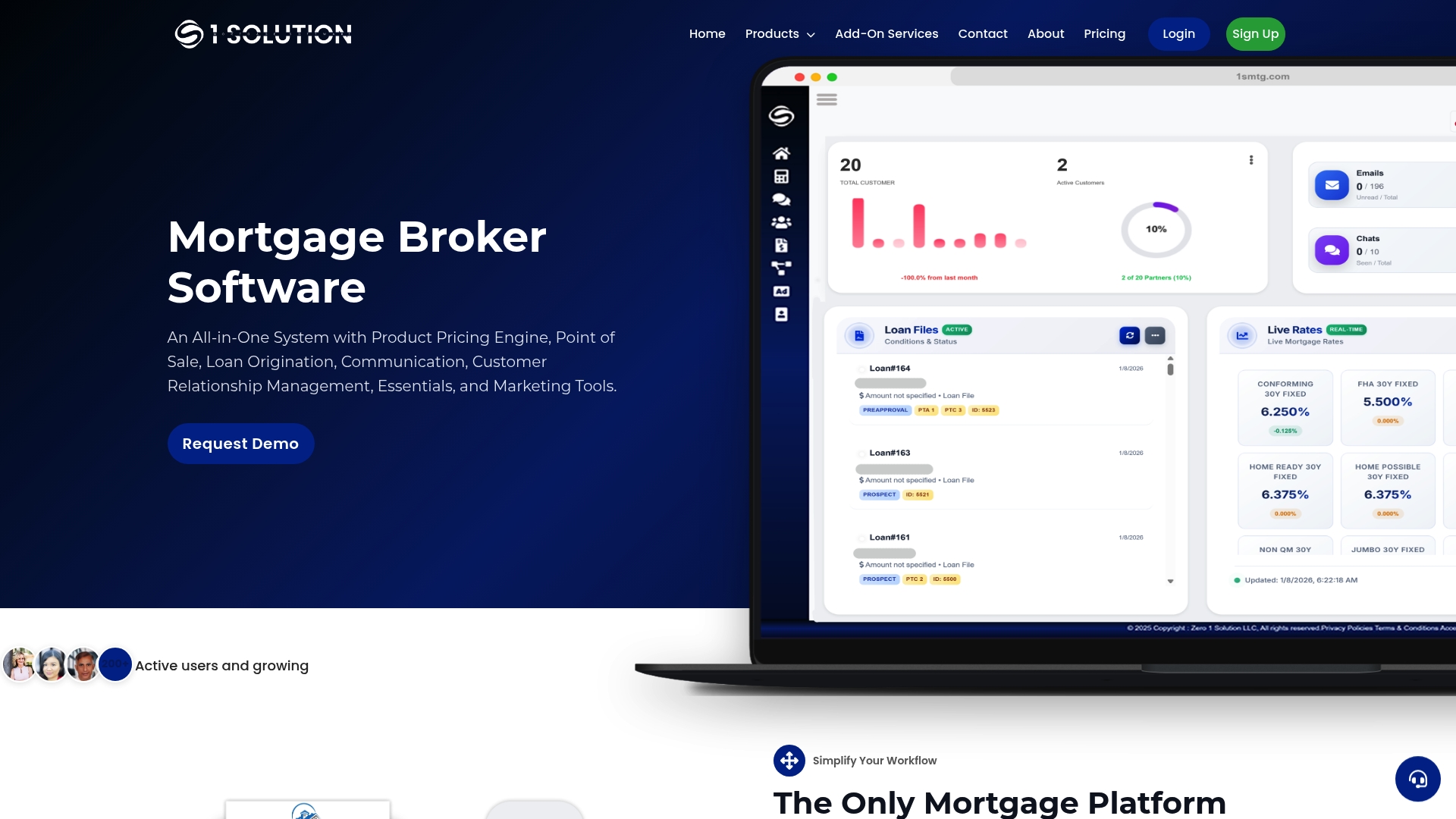
If you want to see consent artifacts, normalized fields, and suppression logic working together on your own lead flow, start a demo of our Subscription Account and run the exact tests from this article against it.
FAQ
What is a CRM in lending?
A CRM in lending is the software system that tracks borrower leads, loan files, and communications from first contact through closing. In a compliance-first setup, it also stores the tags, consent records, and audit history that regulators expect a firm to produce under rules like 12 CFR § 1014.5.
How much does a mortgage broker make on a $500,000 mortgage?
Broker compensation on a given loan depends on the lender's compensation plan, the loan program, and state-specific rules, so there is no single published figure that applies across every transaction. A broker's actual commission structure is set by their individual lender agreements rather than a universal formula.
What are the 7 components of CRM?
Definitions vary across vendors, but a mortgage-specific CRM typically includes lead capture, contact and pipeline management, tagging and segmentation, automation and workflow rules, communication tools, reporting and analytics, and compliance or recordkeeping features. The exact breakdown depends on which platform's documentation you are reading.
What CRM do realtors use?
Realtors use a range of real estate specific CRM platforms built around property listings, buyer and seller pipelines, and transaction management, which differ from mortgage CRMs built around loan origination, licensing, and lending compliance. A mortgage broker's CRM needs typically center on tagging, consent tracking, and loan pipeline stages rather than listing management.
How long must mortgage firms retain commercial communication records?
Firms must retain copies of all materially different commercial communications and supporting documentation for 24 months under 12 CFR § 1014.5. This includes scripts, campaign copy, and training materials tied to the communications sent to borrowers.
Sources
- 12 CFR § 1014.5 - Recordkeeping requirements. | LII / Legal Information Institute
- Non-FCRA Mortgage Leads, 2026 Compliance Guide | GSDSI
- Tags Manager: Adding, Editing, and Organizing Lead Tags | Sierra Interactive Help Center
- How do you handle opt-outs across channels? | Pedowitz Group