
Document request automation uses software to send, track, validate, and archive document requests so teams stop chasing clients and get complete files faster. It replaces the email threads, sticky notes, and shared folders that slow down mortgage processing, tax intake, and legal discovery. Teams handling regulated or high-volume document flows benefit most, since the software enforces consistency and cuts the follow-up work that eats a processor's day.
TL;DR:
- Automation significantly reduces follow-up emails, with systems sending reminders automatically every 48 hours until documents arrive, eliminating manual chase efforts.
- Platforms must include a client portal with secure upload links, dynamic checklists tailored to case types, and validation rules that check file types, sizes, and metadata before submission.
- Implementing staged pilots, measuring baseline metrics, and testing specific use cases helps ensure scalable adoption and avoids integration or permission issues at higher volumes.
- Strong security measures like encryption, role-based access, audit trails, and industry attestations are critical for handling sensitive financial and legal documents compliantly.
- Resistance from staff and clients can be mitigated by emphasizing time savings, clear communication, and limiting parallel processes during rollout, especially when scaling volume or complexity.
Table of Contents
- What Document Request Automation Actually Does
- Essential Features and Capabilities to Evaluate
- Common Workflows: Step-by-Step Examples
- Implementation Checklist: Pilot, Measure, Scale
- Security, Compliance, and Audit Considerations
- Real-World Use Cases and Expected ROI
- Who Gets Access, and Who Approves What?
- What Goes Wrong During Rollout (and How to Fix It)
- Planning for Growth: Volume, Team Size, and Complexity
- Getting Your Team to Actually Use the New System
- A Practitioner's View on Why Integration Beats Point Solutions
- How 1 Solution Handles Document Requests for Mortgage Teams
- Where to Read More on Drafting and Discovery Standards
- Sources
- FAQ
What Document Request Automation Actually Does
Manual document collection runs on memory and email. Someone sends a request, waits, sends a reminder, checks a shared folder, and repeats that cycle for every missing file. Document request automation removes that guesswork by tracking every request against a checklist and flagging what's outstanding without a human having to ask twice.
The difference shows up in three places: fewer follow-up emails, faster file completion, and fewer missing documents at closing or filing time. A processor who used to send 15 reminder emails per file now sends zero, because the system handles reminders on a set schedule automatically. Document collection platforms typically send personalized requests, host a secure upload portal, and time reminders on a recurring basis, marking a file complete only once validation checks pass.
Adopting automated document requests makes sense once a team hits certain thresholds:
- Processors spend more than an hour a day chasing documents by phone or email
- Missing or incomplete files regularly delay closings, filings, or approvals
- Client volume has outgrown what a spreadsheet or shared drive can track cleanly
- Compliance requires a documented audit trail of who requested, sent, and approved what
Once any of those apply, manual tracking stops scaling. The workflow doesn't get easier with more staff. It just gets more expensive.
Essential Features and Capabilities to Evaluate
Not every document automation solution earns its subscription fee. Focus on the features that actually reduce staff hours rather than ones that just look good in a demo.
Automated requests and smart reminders. The system should send the initial request, then escalate reminders on a schedule (every 48 hours is common) until the document arrives, without a staff member touching a keyboard.
Client-facing secure upload portal. Clients need one link, not five email attachments. Dynamic checklists that adjust based on loan type, entity structure, or case type keep the request list relevant instead of generic.
Validation rules. File type, size limits, and metadata checks catch a blurry photo or wrong document before it reaches a processor's queue, cutting the back-and-forth that wastes everyone's time.
Integrations and webhooks. The platform should connect to your CRM or loan origination system and cloud storage, with API or webhook support so a completed upload triggers the next step automatically instead of sitting in a queue.
Security controls. Role-based access control, multi-factor authentication, encryption, and audit logs aren't optional extras for regulated document handling.
Pro Tip: Ask any vendor for a live demo of the validation rules specifically. Plenty of platforms claim "automated validation" but only check file size, not content type or required fields.
Common Workflows: Step-by-Step Examples
A typical automated document request flow runs through four stages: request, upload, validation, and archive. Here's how that plays out across three industries.
- Mortgage document packaging. The system generates a dynamic checklist based on loan type (W2 vs. self-employed, purchase vs. refinance), sends the borrower a portal link, validates each upload against required fields, and flags the file complete once every item clears.
- Accountant client intake. Clients receive a checklist tied to their filing type. The system chases missing 1099s or K1s automatically and tags documents by tax year for the preparer's review.
- Legal intake and early discovery. Requests get drafted with reasonable particularity, meaning specific date ranges, custodians, and examples, so first-pass review (human or AI-assisted) moves faster. The Sedona Conference's guidance on staged, particular requests applies directly here.
Automation eliminates the repetitive handoffs: sending, reminding, re-requesting, and re-tagging. Human review still matters for edge cases, exceptions, and anything requiring judgment calls on document sufficiency.
Implementation Checklist: Pilot, Measure, Scale
Rolling out document request automation works best as a staged project, not a company-wide switch flipped overnight.
- Baseline your current metrics. Track how long files currently take to complete and how many follow-ups each one requires before you touch any new software.
- Pick one pilot use case. Choose a single loan type, client segment, or case category rather than automating everything at once.
- Map your integrations. Identify which CRM, LOS, or storage systems need to exchange data with the new platform, and confirm the connections exist before launch.
- Build staged checklists. Start narrow and expand only as needed. The Sedona Conference makes the same case for discovery requests: staged and specific beats broad and vague.
- Run the pilot and measure. Compare completion time, follow-up count, and staff hours against your baseline.
- Train staff and set escalation rules. Someone still needs to own exceptions when a document is misfiled, mislabeled, or simply wrong.
Pro Tip: Run your pilot for about a month to capture routine and exception cases. A shorter window catches the easy files but misses the exception cases that reveal whether your escalation rules actually work.
Our workflow design guide walks through this staging process in more detail for mortgage offices specifically.
Security, Compliance, and Audit Considerations
Document request automation touches sensitive financial and personal data, so the security layer matters as much as the workflow layer.
At minimum, look for encryption in transit and at rest, multi-factor authentication, and role-based access control that limits who can view or approve which documents. Audit trails need to be tamper-evident, not just a timestamp log that anyone with admin access could edit after the fact.
- Request SOC 2 or ISO attestations from any vendor handling regulated documents
- Confirm retention and deletion policies match your industry's record-keeping rules
- Verify the audit log captures who requested, who uploaded, and who approved, with timestamps on each step
Legal teams face an added layer here: proportionality standards under FRCP 26(b)(1) mean requests need to balance burden against relevance, and your automation's audit trail should support that balance if a request is ever challenged.
Real-World Use Cases and Expected ROI
Four industries see the clearest returns from document request automation: mortgage packaging, tax and accounting intake, HR onboarding, and legal early discovery. Each shares the same bottleneck: staff time lost to chasing incomplete files.
Track these metrics during any pilot:
- Time to package (how long from first request to complete file)
- Completion rate (percentage of requests fulfilled without staff intervention)
- Staff hours saved per file or per week
- Reduction in follow-up messages sent
Vendors and case studies in the document collection space commonly report large time savings and higher completion rates when teams switch from email back-and-forth to portal-based automation, though results vary enough by team and document type that a pilot measurement matters more than any published benchmark.
Run a simple before/after comparison: pull last month's average completion time and follow-up count, then compare against the same metrics during your automated pilot. Our document packaging guide breaks down how mortgage teams specifically calculate that comparison.
Who Gets Access, and Who Approves What?
Every document request platform needs a permission structure that mirrors how your team actually works, not a generic admin/user split that ignores real job functions.
A processor needs to see intake status and send reminders. A senior underwriter needs approval rights on validation exceptions. An office manager needs visibility into every file without necessarily having edit access to any single one. Role-based access control (RBAC) handles this by assigning permissions to job functions rather than individuals, so onboarding a new hire means assigning a role, not rebuilding a permission set from scratch.
Client-facing roles matter too. A borrower or client should only see their own checklist and upload portal, never internal notes or other clients' files. Referral partners, if they have any access at all, typically get a narrower view: status updates without document content.
Get the permission tiers wrong and you create two problems at once. Too restrictive, and staff route around the system with side emails, defeating the point of automating in the first place. Too permissive, and you've built a compliance gap that shows up during an audit.
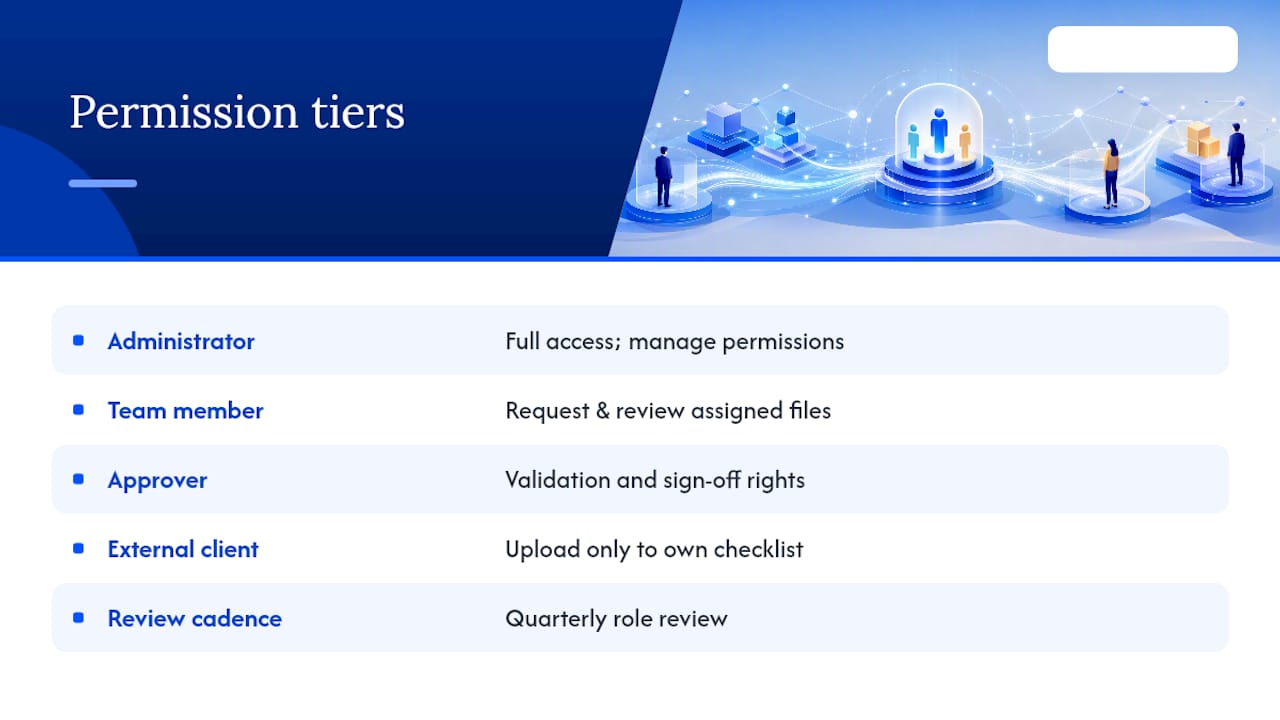
A workable structure usually has four tiers: administrator (full access, including permission management), team member (request and review access within their assigned files), approver (validation and sign-off rights), and external client (upload access to their own checklist only). Review these assignments quarterly, since team roles shift faster than most companies update their access lists. Our guide on managing multiple lender relationships covers how permission tiers extend across partner and vendor access specifically.
What Goes Wrong During Rollout (and How to Fix It)
Three problems show up in nearly every automation rollout, and none of them are technical failures.
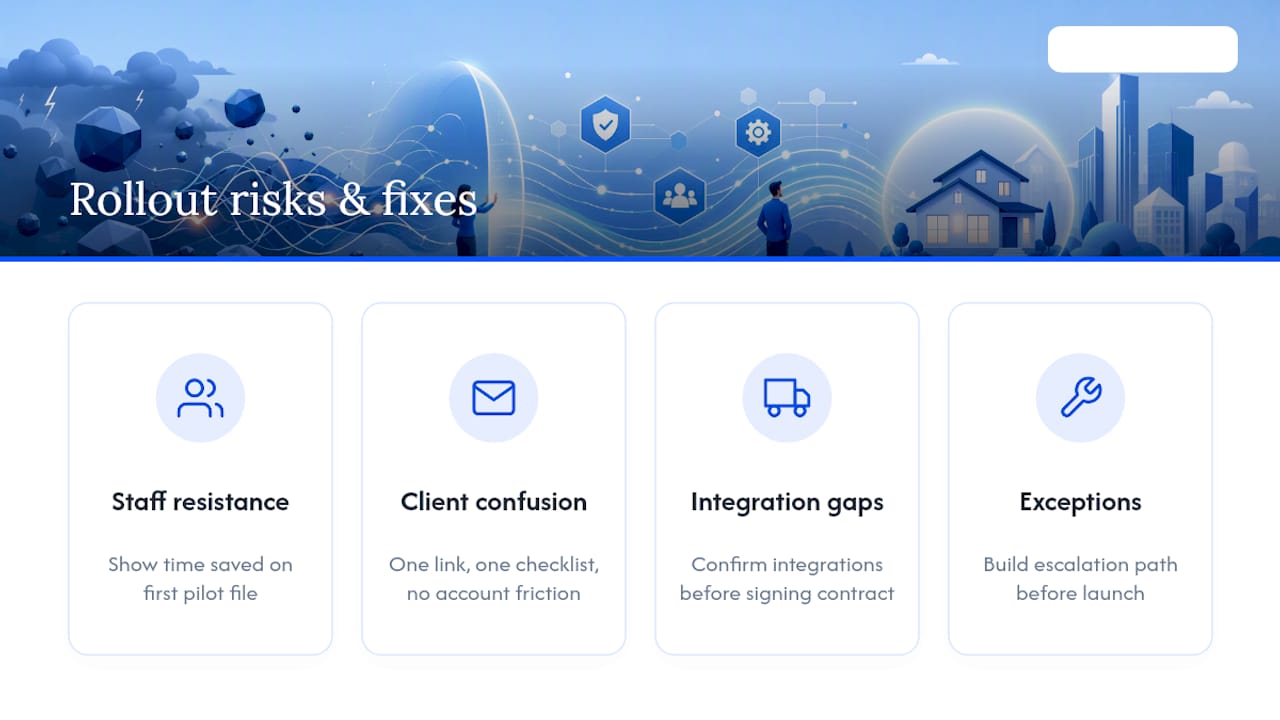
Staff resistance to a new system. Processors who've handled document chasing manually for years often see automation as a threat rather than a relief. The fix isn't more training, it's showing them the time saved on their first pilot file. Numbers convince faster than mandates.
Client confusion with the new portal. A borrower or client used to emailing a PDF attachment may not understand why they suddenly need to log into a portal. Keep the first message simple: one link, one checklist, no account creation friction if you can avoid it.
Integration gaps that create manual re-entry. If the new platform doesn't talk to your existing CRM or loan origination system, staff end up re-entering data twice, which erases the time savings automation was supposed to deliver. Confirm integration points before signing any contract, not after.
Exception handling nobody planned for. Automation handles the standard case well. It struggles with the borrower who uploads a document under the wrong name, or the client who submits a form that's technically complete but factually wrong. Build an escalation path before launch, not after the first mess. The insight from document collection practitioners is consistent here: automation only wins at scale when staff have a clear path for handling the files that don't fit the pattern.
Most of these surface in the first two weeks of a pilot. That's exactly why a 30-day pilot window, rather than a week-long test, catches problems before a full rollout amplifies them.
Planning for Growth: Volume, Team Size, and Complexity
A system that handles 50 files a month can behave very differently at 500. Scalability isn't just about server capacity, it's about whether your checklists, permissions, and escalation rules still make sense at higher volume.
Document volume growth exposes checklist rigidity first. A dynamic checklist that adjusts based on loan type or case category holds up fine at low volume even with some manual tweaking. At high volume, any checklist that needs manual adjustment per file becomes a bottleneck, since a person now has to review and customize hundreds of requests instead of dozens.
Team growth exposes permission structures next. Adding five new processors is simple when your RBAC setup assigns permissions by role. It's a mess when access was granted individually and nobody documented who has what.
Integration load is the third pressure point. A CRM connection that syncs fine at low transaction volume can lag or drop data at scale if the integration wasn't built for higher throughput. Ask any vendor directly what transaction volume their API or webhook infrastructure is tested for, not just what it's theoretically capable of.
Teams that wait until something breaks to check these usually find out during their busiest month, not their quietest one.
Getting Your Team to Actually Use the New System
The best automation platform fails if staff route around it. Change management matters as much as the software choice itself.
Start with the people who'll feel the most relief first, typically the processors doing the most manual chasing, and let their early results sell the system to everyone else. A senior processor telling colleagues "I didn't send a single reminder email this week" carries more weight than any management memo.
Set a hard cutoff date for the old process. Running the manual system and the automated one in parallel indefinitely guarantees staff default to whichever feels more familiar, which is almost always the old way. Give it two weeks of parallel operation at most, then commit.
Address the client side too. A short message explaining why the portal exists (faster processing, fewer emails to track) reduces the confusion that otherwise generates support calls in week one. Our guide on mortgage technology adoption covers this transition specifically for broker teams managing borrower expectations during a system change.
Measure adoption, not just completion rates. Track how many requests staff still handle manually outside the system during the first month. That number tells you where training gaps or workflow mismatches exist, faster than any completion metric would.
A Practitioner's View on Why Integration Beats Point Solutions
After 20-plus years in mortgage operations, from processing and underwriting to building systems, the pattern is consistent: stitched-together point solutions create more friction than they remove. Every handoff between disconnected tools is a place where a document, a status update, or a deadline gets lost. Integrated platforms win not because they have more features, but because they eliminate those gaps entirely.
— Omar Khamisa
How 1 Solution Handles Document Requests for Mortgage Teams
This software is built to eliminate the need for stitching together multiple tools to manage borrower documents. That's the real advantage here: instead of a document request tool bolted onto your CRM, LOS, and borrower portal, you get all three connected from the start, with document packaging, compliance hooks, and audit trails built into the same system your team already works in.
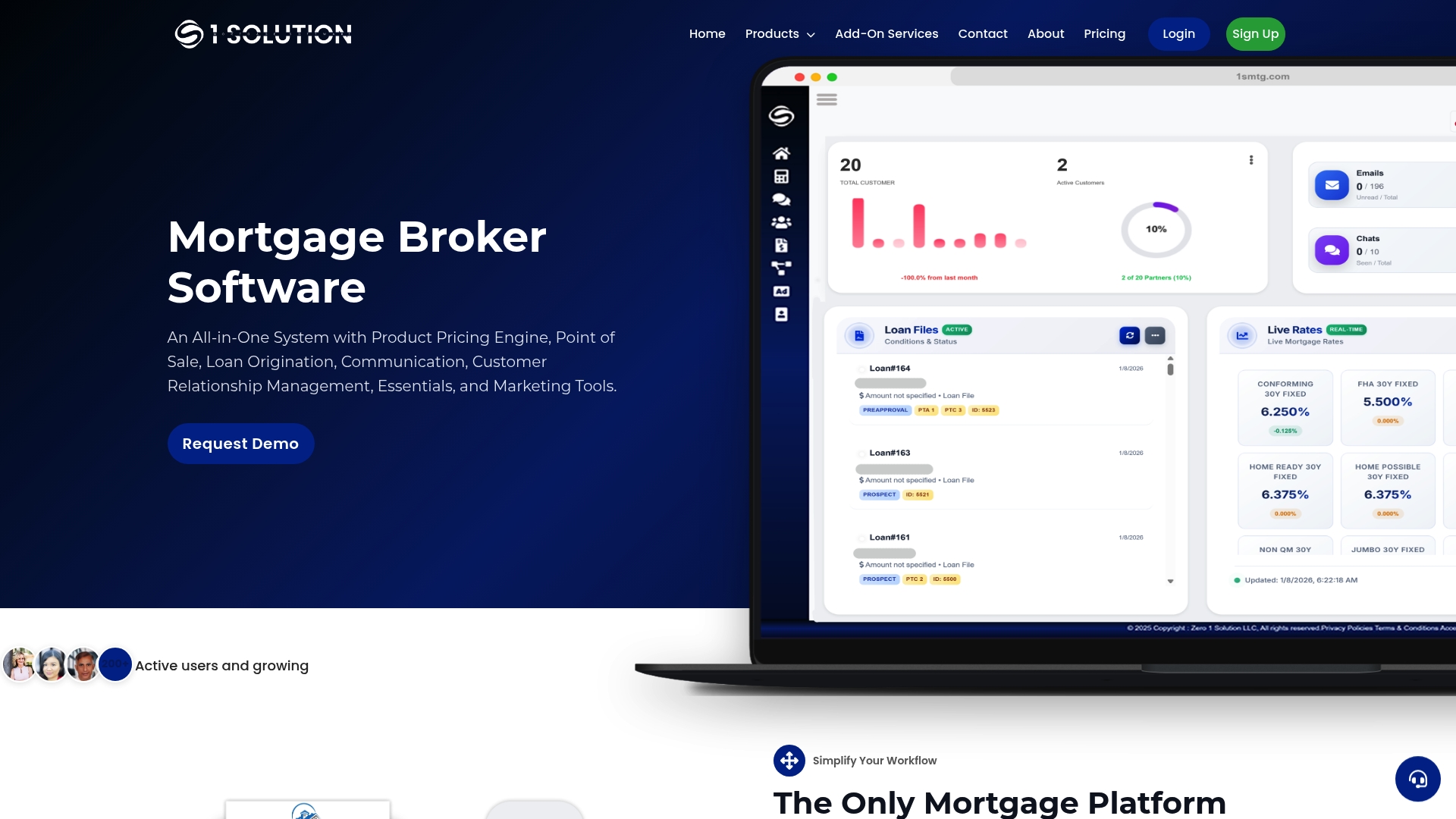
When you look at a demo, ask specific questions: how many follow-up messages does the system send before escalating to a human, what does the audit trail look like for a completed file, and which CRMs or LOS platforms integrate natively versus through a third-party connector. Our loan processing software comparison is a useful reference point if you're evaluating what "integrated" should actually mean before you sit down for that call.
1 Solution runs on a Subscription Account, with pricing available directly through the platform. If you're ready to see how document packaging, borrower portal, and compliance tracking work together in one system instead of three, request a demo and bring your current completion-time numbers. That's the fastest way to see the actual difference.
Where to Read More on Drafting and Discovery Standards
For teams handling legal intake or discovery-adjacent document requests, three sources are worth bookmarking directly. The Sedona Conference primer covers drafting requests with reasonable particularity. The EDRM piece on AI-aware drafting explains how to structure requests for machine-assisted review. Law walks through proportionality standards under FRCP 26(b)(1).
Sources
- Drafting RFPs for robots to read - EDRM
- The Sedona Conference: eDiscovery Requests with reasonable particularity (primer)
- Law
- Barrana
FAQ
What Does Document Automation Mean?
Document automation refers to software that handles requesting, collecting, validating, and storing documents without manual follow-up at each step. It typically includes automated reminders, a secure upload portal, and validation rules that flag missing or incorrect files before staff review them.
What Are Examples of Document Management Systems?
Document management systems (DMS) range from general-purpose cloud storage with folder structures to specialized platforms built for a specific industry, like mortgage document packaging or legal discovery. Many modern platforms combine document management with request automation, so files get collected, validated, and archived in one connected system rather than a separate storage step.
How Can I Automate Document Creation?
Document creation automation typically uses templates connected to your existing data sources, so forms and letters populate automatically instead of being typed manually. Platforms like DocuQueue detect fields in PDFs and fill them from connected records, and many integrate with storage tools like Google Drive or Dropbox through automation platforms such as Zapier.
Can You Automate a PDF?
Yes. Modern document automation tools can detect fillable fields in a PDF, populate them from connected data sources, and route the completed file through validation and storage automatically. This works for both generating new PDFs from templates and processing incoming PDF uploads for required data.
What Does 1 Solution Mortgage Software Cost?
1 Solution Mortgage Software runs on a Subscription Account with pricing available directly on the platform. Additional services such as mortgage website development and phone solutions may be offered for an extra fee, with details available on the provider's site.